❓ Help HELP MY 936

Status
Not open for further replies.

borokot

Elite
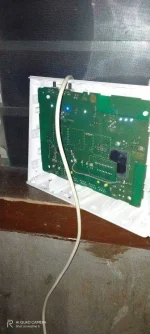
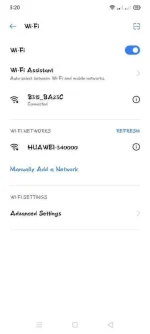
pa help naman po yung huawei 340000 na brick ko ata baka alam nyo pano ayusin di ko alam pass simula nung inupdate ko
IMG20201222032039.webp
Screenshot_2020-12-22-03-20-19-39.webp
 
Ikabit niyo po sa PC ng direkta gamit ang isang rj45 cable tapos open mo Windows Command Prompt at i type
Code:
ipconfig
May lalabas na mga text. Copy mo default gateway address. Halimbawa
Code:
Default Gateway . . . . . . . . . : 192.168.8.1
Visit the default gateway You do not have permission to view the full content of this post. Log in or register now. in your internet browser tapos login.
Possible credentials:
user@l03e1t3
adminadmin
After login, head to Settings>WLAN>WLAN Basic Settings>WPA pre-shared key then check Show password.
 
Here po ung other solution.
connect your modem thru LAN sa computer/laptop then download po kyo putty for telnet access.
open putty click telnet, then sa host name ung ip ng modem. ex. 192.168.8.1
then type nyo po to.
Change nyo ung wifi_name sa gusto nyo and wifi_pass
atc AT^SSID=0,"wifi-name"
atc AT^WIKEY=0,"wifi-pass"
atc AT^RESET
mgrestart po yan ang modem. pagboot up ulit, pindutin nyo po ung reset button then mareset na po yang modem nyo at ung nilagay nyong wifi-name & wifi-pass na ang default po everytime ireset nyo po ang modem.

baka makatulong
 
Status
Not open for further replies.

About this Thread

  • 6
    Replies
  • 424
    Views
  • 4
    Participants
Last reply from:
joongwanlee

Trending Topics

Online now

Members online
1,014
Guests online
896
Total visitors
1,910

Forum statistics

Threads
2,276,228
Posts
28,968,452
Members
1,231,174
Latest member
JJJJMMMM
Back
Top