P
PurpleFox
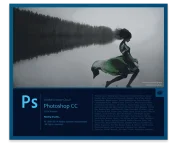
CC Photoshop Adobe - a program for processing raster graphics. Supports numerous graphic formats. Adobe Photoshop allows you to create new images and edit them. Photoshop used to create photorealistic images to work with color scanned images, retouching, color correction, transformation of graphs, color separation, etc. Adobe Photoshop has all methods of working with bitmaps, in this case is to work with layers and uses contours.
New Photoshop CC:
• More user-friendly application Photoshop. Photoshop® CC is part of the Creative Cloud ™. Therefore, its users access to all the latest updates, and access to new versions available from the date of their issue. The ability to publish in the cloud allows organize your files on multiple computers. Through integration with Behance® can share their projects with other users directly from the program Photoshop CC and instantly get feedback on their work from designers from around the world. More>
• The new "Smart Sharpen". A variety of textures, sharp contours and distinct parts. The new "smart sharpen" is the most modern technology to increase field today. It analyzes the image, allowing you to maximize clarity and significantly reduce noise and ghosting to create high-quality images that look natural.
• Intelligent boost sampling. Increase the low-resolution image for use in print or image to the size of the average quality of the billboard or posters. The new feature allows you to keep up-sampling details and sharpness of the image without making noise.
• Additional functions. As a component of Creative Cloud, an application Photoshop gives you all the power of image editing and video editing and also includes advanced tools for editing three-dimensional objects and image analysis previously only available in Photoshop Extended.
• Camera Raw 8 and support layers. Use edits Camera Raw as a filter for the layers and files in Photoshop, and then Upgrade layers and files fit you properly. In addition, with the new external module 8 Adobe® Camera Raw, you can more accurately correct the image, eliminating perspective distortion and create vignettes.
• Variable rectangles with rounded corners. This is one of the most requested features. Now you can change the size of the figures, as well as edit them, both before and after the creation. You can even change the radius of the corners of the rectangle. If the figure is intended to be placed on a web page, CSS export data from a file, to save time.
• Ability to simultaneously select multiple contours and shapes. Increase the efficiency of their workflows quickly selecting contours, shapes and vector masks with just a few mouse clicks. Even in multi-layer document with a lot of loops can easily find your circuit (and layer) directly on the canvas, using a new filter mode.
• Image stabilization chamber. Take pictures, even moving camera. If the picture is blurry due to the slow shutter speed or a large focal length, the function "Image Stabilization Camera" analyzes the trajectory of motion and restore sharpness.
• Enhanced support for smart objects. Apply effects picture blur and plastic with the possibility of reversible correction with support for smart objects. Add blur effects, pushing, pulling, puckering and swelling picture or video, while retaining the ability to return to the original file. Modify or delete the effects, whenever you want, even after you save the file.
• Improved drawing of three-dimensional objects. When working with three-dimensional objects and texture maps to create interactive previews can now be up to 100 times faster. Thanks to a powerful mechanism for drawing in Photoshop, you can create stunning three-dimensional models.
• Improved font styles. You spend many hours on the design of the font. Using font styles will preserve the formatting in a style, and then apply it with one click. You can even define the font styles that will be used in all your documents Photoshop.
• Copying attributes CSS. When creating a web design code by hand, you can not always create the elements, such as rounded corners, or color corresponding to the original. Now Photoshop can generate CSS code for a specific design elements. You only need to copy and paste the code into your web editor to get the desired result.
• Conditional steps. Automate typical processing operations with conditional actions. To automatically select different actions based on the rules you create in these commands are used instructions if / then.
• Improved panel «3D-scene." Easily move from two-dimensional to three-dimensional editing through panel «3D-scene", which contains many familiar you options with which you have worked previously in the "Layers", such as "Duplicate", "Create a copy", the "Group" and "Delete".
• The functions that help save time. Reduce time spent on routine tasks, thanks to the small, but very convenient feature that asks the user to implement. Quickly create contours with new keyboard shortcuts, drag the outline of the space bar, include ICC profiles in the formats PNG, and many more.
• Improved 3D-effects. Shadows and reflections can transform your 3D-graphic into a masterpiece, and interactive preview images of higher quality will allow to create outstanding works even faster.In addition, you can now easily create glow effects, stage lighting and lighting of reliefs and textures of better quality.
• Import colors from web files. Import swatches directly from files HTML, CSS and SVG. Change these samples as you wish or just use ready-made color schemes based on an existing web content.
• System font smoothing. With the parameter that provides smoothing appropriate smoothing realized in the Mac or Windows®, you can now create a realistic image preview that will allow you to see how a font will look on your web pages.
Among the most interesting innovations are the following:
• «Smart" algorithms reduce the effect of sharpening halos and increased noise at higher mikrokontrasta.
• Intelligent upsampling - a powerful and versatile tool for increasing the size of the image, whether it's a picture with a phone or a quality picture that you want to "stretch" to poster size.
• Camera Raw 8 - is used as a filter to the layer or file, including video files; It includes the effects of gradients, automatic perspective correction, elimination of defects have shown in Beta Adobe Lightroom 5.
• Camera Shake Reduction - the long-awaited mechanism capable of analyzing the images to determine the "path" of blurring caused by camera shake or tremor of the hands of the photographer, and "restore" the sharpness of the image (see. The video below).
• Advanced functionality Smart Object. The objects are now supported by non-destructive, the imposition of parametric filters family Blur.
• Conditional steps - an incredibly useful in batch image processing script Actions received conditional statement "if you can." It allows you to automatically run a variety of operating procedures for the performance of certain conditions.
System requirements:
• Intel® Pentium® 4 processor or AMD Athlon® 64 (2 GHz or faster)
• Microsoft® Windows® 7 Service Pack SP 1, Windows 8 or Windows 8.1
• 2 GB of RAM
• 2 GB of free hard disk space for installation; during installation additional free space required (can not install on removable storage devices based on Flash)
• Monitor with a resolution of 1024x768 (recommended 1280x800), 16-bit color and 512 MB of graphics memory
• The system supports OpenGL 2.0
Fix: (ρá†ch PainteR 1.5) / KEYGEN-Xforce
Platform: Windows 7/8 / 8.1 /10 (x64 | x86)
Size: 1.01 Gb / 945.32 Mb
New Photoshop CC:
• More user-friendly application Photoshop. Photoshop® CC is part of the Creative Cloud ™. Therefore, its users access to all the latest updates, and access to new versions available from the date of their issue. The ability to publish in the cloud allows organize your files on multiple computers. Through integration with Behance® can share their projects with other users directly from the program Photoshop CC and instantly get feedback on their work from designers from around the world. More>
• The new "Smart Sharpen". A variety of textures, sharp contours and distinct parts. The new "smart sharpen" is the most modern technology to increase field today. It analyzes the image, allowing you to maximize clarity and significantly reduce noise and ghosting to create high-quality images that look natural.
• Intelligent boost sampling. Increase the low-resolution image for use in print or image to the size of the average quality of the billboard or posters. The new feature allows you to keep up-sampling details and sharpness of the image without making noise.
• Additional functions. As a component of Creative Cloud, an application Photoshop gives you all the power of image editing and video editing and also includes advanced tools for editing three-dimensional objects and image analysis previously only available in Photoshop Extended.
• Camera Raw 8 and support layers. Use edits Camera Raw as a filter for the layers and files in Photoshop, and then Upgrade layers and files fit you properly. In addition, with the new external module 8 Adobe® Camera Raw, you can more accurately correct the image, eliminating perspective distortion and create vignettes.
• Variable rectangles with rounded corners. This is one of the most requested features. Now you can change the size of the figures, as well as edit them, both before and after the creation. You can even change the radius of the corners of the rectangle. If the figure is intended to be placed on a web page, CSS export data from a file, to save time.
• Ability to simultaneously select multiple contours and shapes. Increase the efficiency of their workflows quickly selecting contours, shapes and vector masks with just a few mouse clicks. Even in multi-layer document with a lot of loops can easily find your circuit (and layer) directly on the canvas, using a new filter mode.
• Image stabilization chamber. Take pictures, even moving camera. If the picture is blurry due to the slow shutter speed or a large focal length, the function "Image Stabilization Camera" analyzes the trajectory of motion and restore sharpness.
• Enhanced support for smart objects. Apply effects picture blur and plastic with the possibility of reversible correction with support for smart objects. Add blur effects, pushing, pulling, puckering and swelling picture or video, while retaining the ability to return to the original file. Modify or delete the effects, whenever you want, even after you save the file.
• Improved drawing of three-dimensional objects. When working with three-dimensional objects and texture maps to create interactive previews can now be up to 100 times faster. Thanks to a powerful mechanism for drawing in Photoshop, you can create stunning three-dimensional models.
• Improved font styles. You spend many hours on the design of the font. Using font styles will preserve the formatting in a style, and then apply it with one click. You can even define the font styles that will be used in all your documents Photoshop.
• Copying attributes CSS. When creating a web design code by hand, you can not always create the elements, such as rounded corners, or color corresponding to the original. Now Photoshop can generate CSS code for a specific design elements. You only need to copy and paste the code into your web editor to get the desired result.
• Conditional steps. Automate typical processing operations with conditional actions. To automatically select different actions based on the rules you create in these commands are used instructions if / then.
• Improved panel «3D-scene." Easily move from two-dimensional to three-dimensional editing through panel «3D-scene", which contains many familiar you options with which you have worked previously in the "Layers", such as "Duplicate", "Create a copy", the "Group" and "Delete".
• The functions that help save time. Reduce time spent on routine tasks, thanks to the small, but very convenient feature that asks the user to implement. Quickly create contours with new keyboard shortcuts, drag the outline of the space bar, include ICC profiles in the formats PNG, and many more.
• Improved 3D-effects. Shadows and reflections can transform your 3D-graphic into a masterpiece, and interactive preview images of higher quality will allow to create outstanding works even faster.In addition, you can now easily create glow effects, stage lighting and lighting of reliefs and textures of better quality.
• Import colors from web files. Import swatches directly from files HTML, CSS and SVG. Change these samples as you wish or just use ready-made color schemes based on an existing web content.
• System font smoothing. With the parameter that provides smoothing appropriate smoothing realized in the Mac or Windows®, you can now create a realistic image preview that will allow you to see how a font will look on your web pages.
Among the most interesting innovations are the following:
• «Smart" algorithms reduce the effect of sharpening halos and increased noise at higher mikrokontrasta.
• Intelligent upsampling - a powerful and versatile tool for increasing the size of the image, whether it's a picture with a phone or a quality picture that you want to "stretch" to poster size.
• Camera Raw 8 - is used as a filter to the layer or file, including video files; It includes the effects of gradients, automatic perspective correction, elimination of defects have shown in Beta Adobe Lightroom 5.
• Camera Shake Reduction - the long-awaited mechanism capable of analyzing the images to determine the "path" of blurring caused by camera shake or tremor of the hands of the photographer, and "restore" the sharpness of the image (see. The video below).
• Advanced functionality Smart Object. The objects are now supported by non-destructive, the imposition of parametric filters family Blur.
• Conditional steps - an incredibly useful in batch image processing script Actions received conditional statement "if you can." It allows you to automatically run a variety of operating procedures for the performance of certain conditions.
System requirements:
• Intel® Pentium® 4 processor or AMD Athlon® 64 (2 GHz or faster)
• Microsoft® Windows® 7 Service Pack SP 1, Windows 8 or Windows 8.1
• 2 GB of RAM
• 2 GB of free hard disk space for installation; during installation additional free space required (can not install on removable storage devices based on Flash)
• Monitor with a resolution of 1024x768 (recommended 1280x800), 16-bit color and 512 MB of graphics memory
• The system supports OpenGL 2.0
Fix: (ρá†ch PainteR 1.5) / KEYGEN-Xforce
Platform: Windows 7/8 / 8.1 /10 (x64 | x86)
Size: 1.01 Gb / 945.32 Mb


