PH
PHchange your icons of your drives ,control panel , user name folder,document folder,favorites folder,music folder,videos folder.
You can also change your Computer's icon,recycle bin empty and recycle bin full icons,Desktops icon.
so how to do it?
answer is from a simple tool called You do not have permission to view the full content of this post. Log in or register now..
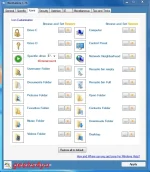
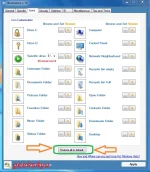
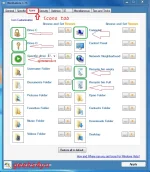
look an screen shot of this software.
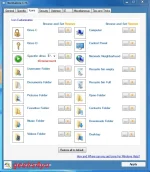
You do not have permission to view the full content of this post. Log in or register now."
Step 1: Extract the You do not have permission to view the full content of this post. Log in or register now. file and run winbubble.exe as administrator privilege.
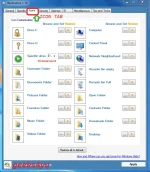
Step 2:Click on "icons" tab.
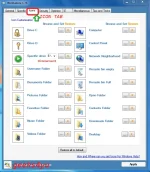
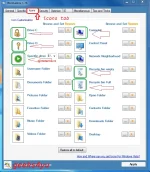
Step 3: Now choose any from these given and click on (---) button.
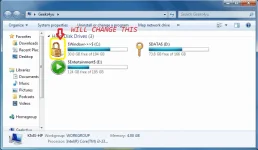
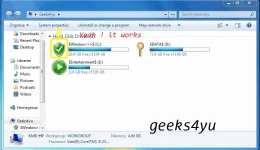
i.e: here i am taking my c drive for changing the icon lets a look of my drive icons.
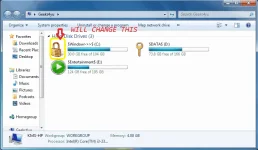
now i am going to my c drive icon with any other.
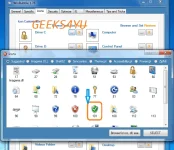
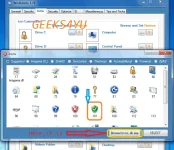
first click on(---) button and it will show a new window to select icons select any one of them.
here i am selecting green check shield icon.
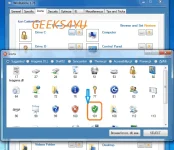
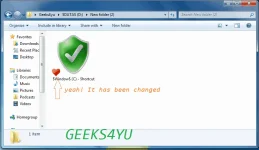
Step 4: Now again take a look of my drives icon to check it works or not.
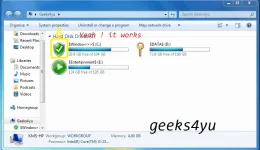
Yeah! It Works.
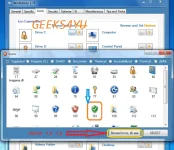
*Note: You can downloads your favorites icons from many sites.There is a button at the last of second window to "Browse for ico dll" look in screen shot.
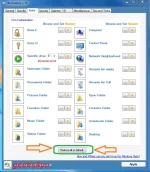
Now if you want to reset these all to defaults there is an option at last to "Reset All Default" click on this all will be reset.
So till now we have seen the magic of "Icon tab" now come on the another tab there called "Specific" tab.
In this tab we will change the short cut icon.
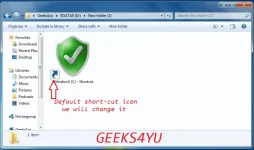
Before Starting i want to show my default icon of shortcut.
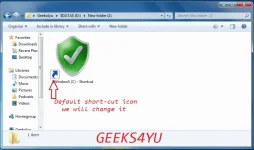
here you can see the default window shortcut icon now i am going to change this.
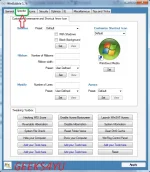
Step 1: Open "Specific" tab .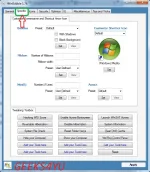
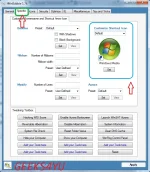
In the right side you will the the options for customize shortcut icon
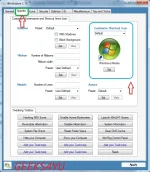
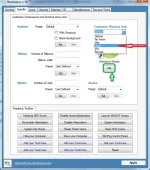
Step 2: Chose from given or you can also browse.
i.e: here i choose heart icon.
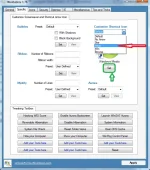
Step 3: Click on the set Button.
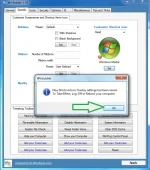
When you will click on set button there will be a message open which will told you that these setting will effect after reboot the computer. so click here ok.
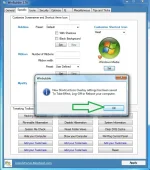
Ok that's it..when your system will reboot your shortcut icon will be changed like my have been change.
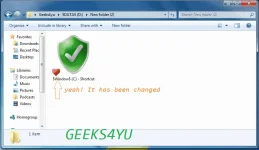
Yeah!!! It works....
Now if you want to reset all these setting to defaults there will be a tab in WinBubble at the last "Tips and Tricks" goto that tab and click on "Reset All Setting To Default" . your all setting will be set to defaults.
You can also change your Computer's icon,recycle bin empty and recycle bin full icons,Desktops icon.
so how to do it?
answer is from a simple tool called You do not have permission to view the full content of this post. Log in or register now..
look an screen shot of this software.
You do not have permission to view the full content of this post. Log in or register now."
Step 1: Extract the You do not have permission to view the full content of this post. Log in or register now. file and run winbubble.exe as administrator privilege.
Step 2:Click on "icons" tab.
Step 3: Now choose any from these given and click on (---) button.
i.e: here i am taking my c drive for changing the icon lets a look of my drive icons.
now i am going to my c drive icon with any other.
first click on(---) button and it will show a new window to select icons select any one of them.
here i am selecting green check shield icon.
Step 4: Now again take a look of my drives icon to check it works or not.
Yeah! It Works.
*Note: You can downloads your favorites icons from many sites.There is a button at the last of second window to "Browse for ico dll" look in screen shot.
Now if you want to reset these all to defaults there is an option at last to "Reset All Default" click on this all will be reset.
So till now we have seen the magic of "Icon tab" now come on the another tab there called "Specific" tab.
In this tab we will change the short cut icon.
Before Starting i want to show my default icon of shortcut.
here you can see the default window shortcut icon now i am going to change this.
Step 1: Open "Specific" tab .
In the right side you will the the options for customize shortcut icon
Step 2: Chose from given or you can also browse.
i.e: here i choose heart icon.
Step 3: Click on the set Button.
When you will click on set button there will be a message open which will told you that these setting will effect after reboot the computer. so click here ok.
Ok that's it..when your system will reboot your shortcut icon will be changed like my have been change.
Yeah!!! It works....
Now if you want to reset all these setting to defaults there will be a tab in WinBubble at the last "Tips and Tricks" goto that tab and click on "Reset All Setting To Default" . your all setting will be set to defaults.