 PH
PHWhen living in a constantly connected society it’s nice to log out and relax for a while. With the service Relaxed, you can now easily take a break from social media without worrying about friends getting angry when not answering on Facebook or Twitter during your vacation.
You would not like to use social media during your vacation. So you can't send message to anyone then at lease the sender should receive the information that you are on vacation and when will you return.
Relaxed is an auto reply service for your Facebook and Twitter account. Like a traditional out of office e-mail reply, Relaxed automatically sends a personally written message to anyone who contacts you. Giving you the opportunity to kick back, relax and enjoy your vacation without worrying about your social media activity.
Lets Enjoy your Vacation By:
Make sure you get to fully relax and enjoy your vacation without the feeling of having to be constantly online on your Facebook or Twitter.
Connect your social media accounts to Relaxed, a service that automatically sends a reply when someone contacts you. So that you can kick back and have a relaxed vacation time.
1. Visit You do not have permission to view the full content of this post. Log in or register now.
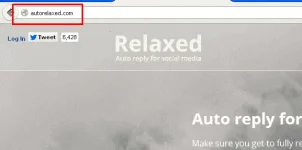
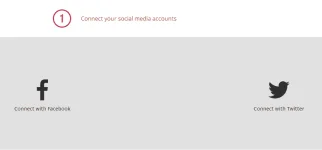
2. Connect your social media account (you can connect either Facebook or Twitter or both).
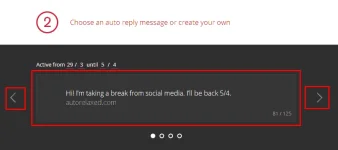
3. Choose an auto reply message or create your own. You can choose any message which are provided by Auto relaxed or you can create you own message to be send to your friends. you can also set the time limit to reply to message.
4. Activate your auto reply to kick back and relax! Now click on Activate to set auto reply

You would not like to use social media during your vacation. So you can't send message to anyone then at lease the sender should receive the information that you are on vacation and when will you return.
Relaxed is an auto reply service for your Facebook and Twitter account. Like a traditional out of office e-mail reply, Relaxed automatically sends a personally written message to anyone who contacts you. Giving you the opportunity to kick back, relax and enjoy your vacation without worrying about your social media activity.
Lets Enjoy your Vacation By:
Make sure you get to fully relax and enjoy your vacation without the feeling of having to be constantly online on your Facebook or Twitter.
Connect your social media accounts to Relaxed, a service that automatically sends a reply when someone contacts you. So that you can kick back and have a relaxed vacation time.
1. Visit You do not have permission to view the full content of this post. Log in or register now.
2. Connect your social media account (you can connect either Facebook or Twitter or both).
3. Choose an auto reply message or create your own. You can choose any message which are provided by Auto relaxed or you can create you own message to be send to your friends. you can also set the time limit to reply to message.
4. Activate your auto reply to kick back and relax! Now click on Activate to set auto reply