 PH
PHhow to change the processor name. For example: Your pc have the processor "Dual Core" means you can change the name to your own name or like "Core i3" something.
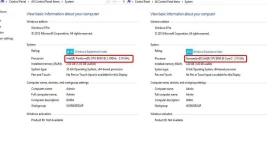
Step 1: Goto run prompt and type "regedit" without double quotes. and hit enter
Step 2: Now registry edit box will appear in that navigate to this path:
HKEY_LOCAL_MACHINE \ HARDWARE \ DESCRIPTION \ SYSTEM \ CENTRAL PROCESSOR \ 0
and now after click the folder "0" some files will appear in the right pane.
Step 3: From that list double click the file named "ProcessorNameString" now a dialog box will appear. In that box you can change the value data to any thing you want like your name or "Core i3" or Core i5 etcc..
Step 1: Goto run prompt and type "regedit" without double quotes. and hit enter
Step 2: Now registry edit box will appear in that navigate to this path:
HKEY_LOCAL_MACHINE \ HARDWARE \ DESCRIPTION \ SYSTEM \ CENTRAL PROCESSOR \ 0
and now after click the folder "0" some files will appear in the right pane.
Step 3: From that list double click the file named "ProcessorNameString" now a dialog box will appear. In that box you can change the value data to any thing you want like your name or "Core i3" or Core i5 etcc..
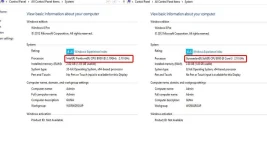

 Buti napaalala mo yan bosing. Meron akong ginulpi na seller na binalikan ko pa sa Maynila dahil mali yung nakita ko sa bios at sa cpu ng 2nd-hand laptop na binenta sa misis ko. Sa Windows System settings kasi yung specs na pinakita kay misis. Na sweet-talk si misis dahil emergency daw...swerte ko lang at di pa umalis sa pwesto nya ang ungas....naka-50% discount pa tuloy ako he he pagkatapos kong konyatan yung pagmumukha nya.