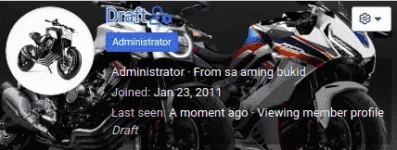
👨‍🏫 Tutorial User profile banners (Established and above only)

1602790136013.png


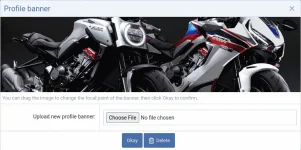
If you want to make your profile look at least 50% better than before, you just need to click the "Edit profile banner" button to be presented with an overlay which allows you to browse for and upload an image from your device.
1602789697682.png


There may be more interesting parts of the image to display, so you can change the focal point of the banner by clicking "Edit profile banner".
All you need to do is click/touch and drag to reposition it to a different part of the image.
1602790039238.png


Applied on member tool-tip too.
1602790203585.png
 
Still have a lot of days to be an Established member. Great feature tho. Looking forward to use this one too. Thanks for sharing admin 🥰👍🇵🇭
 

About this Thread

  • 186
    Replies
  • 10K
    Views
  • 158
    Participants
Last reply from:
jpotz

Online now

Members online
1,046
Guests online
1,594
Total visitors
2,640

Forum statistics

Threads
2,283,941
Posts
29,018,981
Members
1,220,717
Latest member
sergipe123
Back
Top