 PH
PH
P
PurpleFox
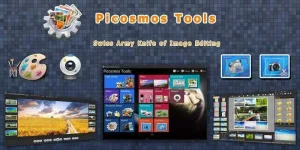
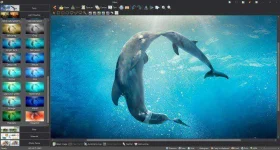
Picosmos integrates viewer, editor, effect, batch, combine and split functions into one set. It also provides plenty of source material. Picosmos Tools is a set of picture browsing, editing, layout, photo frames and beauty effects, such as one of the software and provide a lot of material resources in the most convenient and easy to use professional image browsing photos beautification image processing software! completely free to download it quickly.
Picosmos integrates viewer, editor, effect, batch, combine and split functions into one set. It also provides plenty of source material.
let" Factory "has become the one-stop management center with your increasingly large sets. Using the most appropriate way to manage and you deal with landscaping pictures, to be a good steward of your pictures and photo of your good helper .
Image browsing can replace Windows built-in picture viewer, not only browse the local picture, you can also browse the server Shanghai Universal Pictures Gallery amount of material. Users can here on the right photo batch processing. (Such as the one directory All photos were blurred office
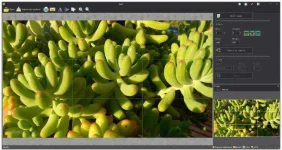
Image Editing
professional-level editing, support a variety of standard editing tools, also supports layers deal if you are a user must have a working knowledge of the picture, you can complete most of the professional-level pictures edit pictures inside the factory processing software to complete the work, and indeed this area minority Factory freeware save a lot of development costs for you or your company.
Effect
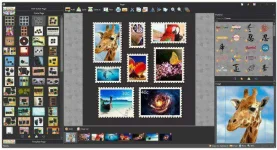
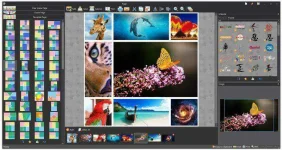
Combine Split layout
offers a rich combination of style picture, just a simple operation, you can create a beautiful picture collection.
Frame
put together all kinds of picture frames and photo frames can download all kinds of resources in the picture browsing make their photos look more full..
The Picosmos Tools What are the advantages?
Image plant is the world's fastest image processing engine, bringing people marvel super high definition picture perfect presentation, lucidity, precision sharp fast image processing, to bring you the most realistic HD plug-effect! < br /*>
Features Introduction:
1 the world's fastest image processing engine;
2 ultra-high-definition picture perfect presentation;
3 exclusive support continuous viewing compressed package picture;
4 variety of simple image editing functions;
Features:
1 supports full-screen viewing, refreshing view the big picture;
2 Support slide show, and the freedom to set the playback speed;
3 supports thumbnail preview, you can preview the current directory of all-time pictures;
4 supports up to 67 kinds of image formats, called plug-most SOFTWARE;
5 supports aerial view, convenient location to enlarge the picture after moving;
6 exclusive launch multi-frame GIF image to view and frame saving function;
7 Built-in variety of image editing features simple
8 is compatible with Windows Photo Viewer and ACDSEE super multi shortcut: WINS habit for the picture to see the operation of the user.
How to interface settings?
in the" Main Menu "option can be set on the interface options are:
Enable aerial view, enable thumbnails, enable multi-frame image to view tool window always on top, allowing open multiple plug-windows.
shortcut keys are there?
commonly used shortcut keys are as follows these:
- Open the picture: Ctrl + O
- Save Picture As: Ctrl + S
- Print Picture: Ctrl + P
- Image Information: Alt + Enter
- Exit: Alt + F4, Ctrl + W, Alt + X
- Crop: Ctrl + Shift + P
- Screenshot: Ctrl + Alt + D
- Modify the picture size: Ctrl + E
- Batch Image Conversion: Ctrl + M
- Batch Picture Rename: Ctrl + N
- Copy: Ctrl + C
- Copy to: Ctrl + Shift + C
- Move to: Ctrl + Shift + M
- Delete: Del
- Rename: F2
- Full-screen playback: Enter, F11
- Enter the slide: F5, F6, F8
- Enable /*stop thumbnails: Ctrl + T
- Enable /*stop aerial view: Ctrl + B
- Enable /*stop multi-frame picture playback tool: Ctrl + F
- Window always on top: Ctrl + Shift +]
- Figure allowed to open multiple windows: Ctrl + U
- Picture zoom: =, Ctrl + Up Arrow, Ctrl + scroll wheel on the mouse button, the numeric keypad +, Q
- Zoom Out: -, Ctrl + Down Arrow, Ctrl + mouse button under the scroll wheel, the numeric keypad -, E
- Previous image: left arrow, up arrow, Pageup, J, W, A
- Next image: Right head, down arrow, Pagedown, K, S, D, the space
- Counterclockwise rotation: Ctrl + L, Ctrl + Shift + L, Ctrl + << br /*> Clockwise rotation: Ctrl + R, Ctrl + Shift + R, Ctrl +>
- Lock /*Unlock Scaling: 0, Ctrl + numeric keypad /*, Alt + L, Ctrl + /*
- Actual size /*optimal size: /*, Ctrl + 1, Ctrl + 2,1,2, digital keyboard /*numeric keypad *
- Help Topic: F1;
- Getting Started
- FAQ
- What are the advantages in Picosmos Tools ?
- How to interface settings?
- Commonly used shortcuts are there?
- Technical Support
Major functions:
Pictures Viewer
Picosmos Tools contains a professional-grade photo viewer
Editor
You can use it for complex image
Effect Add
Add effect and frame to pictures. Make pictures look more vivid.
Page Design
Combine your pictures, make poster and cover
Combine
Combine multiple photos into the designated regular array.
Batch
Operate multiple pictures. Organize, optimize, watermark and rotate ...
File Size | 34.9 MB
You do not have permission to view the full content of this post. Log in or register now.
