PH
PH
P
PurpleFox
This powerful Blu-ray ripper enables you to convert 2D movies to 3D format, trim and crop your Blu-ray movies as you want. You can make a shortcut conversion with the E×ρréšš interface, or customize your converted movies with the Expert interface. With this magical Blu-ray ripper, you can enjoy the fun of converting Blu-ray movies at ease!
Key Features:
- - Rips the latest Blu-ray movies to a large number of audio and video formats.
- - Supports a wide range of most popular multimedia devices including iPhone 5 and The new iPad.
- - Converts 2D to 3D movies and set the 3D features as Red/Cyan, Red/Green, Red/Blue, Blue/Yellow, Interleaved, etc.
- - Decrypts BD+ or AACS protected Blu-ray movies without any third party plug-in.
- - The GPU acceleration function makes the Blu-ray conversion much faster.
- - Trims your preferred clips from the video file.
- - Crops the unnecessary borders from the video screen.
- - Adds image and text watermarks into your target video file.
- - Adjusts the values of brightness, contrast, saturation and set the movie effect as gray, flip color, invert, aged film, etc.
- - Improved video quality
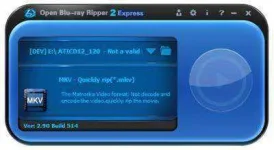
- - The brand-new E×ρréšš interface enables you to convert Blu-ray movies with just one click, and the Expert interface enables you to customize the converted movies.
- - Plays back the converted movies directly after the conversion.
- - Locates the target file quickly after the conversion.
- - Supports to convert multiple chapters at one time and select your desired audio track and subtitle for each chapter.
- - Select to enable multi-streams when ripping to MKV.
- - Enable or disable subtitle when ripping.
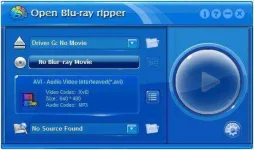
- - Set the parameters of codec, bitrate, size, fps, aspect ratio, channel, volume, etc for the converted file.
System Requirements:
Minimum configuration:
- - Pentium-IV 1.0 GHz
- - 512MB of RAM
- - 20GB free hard disk space (NTFS partition)
- - Windows XP
- - A Blu-ray disc drive
Recommended configuration:
- - Intel Core2 1.86GHz or a faster processor
- - 2048MB of RAM
- - 20GB free hard disk space (NTFS partition)
- - Windows Vista, 7, 8
- - A Blu-ray disc drive
- - An NVIDIA video card (GeForce 8, 9, 100, 200, 400-series GPUs with a minimum of 256MB of local graphics memory.)
File Size | 28.93 MB