 PH
PH10. Speccy
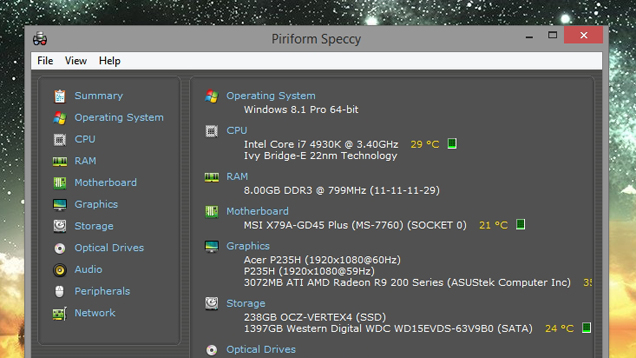
Maybe you've forgotten what kind of RAM you bought, or want a quick glance at your CPU's temperature. You do not have permission to view the full content of this post. Log in or register now. scans your machine and gives you a complete rundown of everything, from model numbers to temperatures, fan speeds, S.M.A.R.T. status, and...well, pretty much anything else you can think of. It's also available in portable form, so you don't have to install anything—just stick it in a folder for when you really need it. For an alternative, check out HWiNFO.
9. Ultimate Windows Tweaker
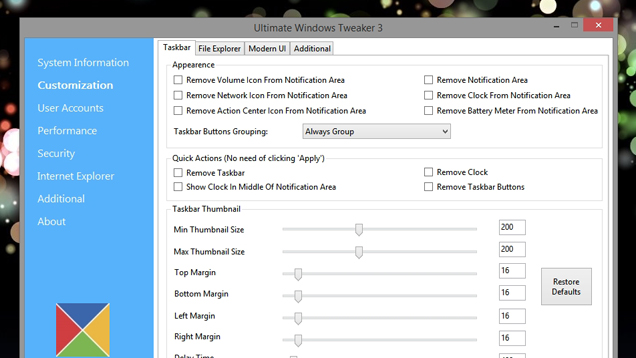
When you first install Windows, you probably get everything set up just the way you like it, including all your favorite little Registry häçks and unsupported tweaks. You might even discover new ones later and try them out. Apps like You do not have permission to view the full content of this post. Log in or register now. make this a lot easier, and they're useful to keep around later if you start incorporating new things into your workflow. Its list of features is endless, allowing you to tweak the tiniest features in the taskbar, Windows Explorer, the lock screen, and anything else you could imagine. Download it once and keep it forever (and as always, back up before you start tweaking your system).
8. Stress Testing Utilities
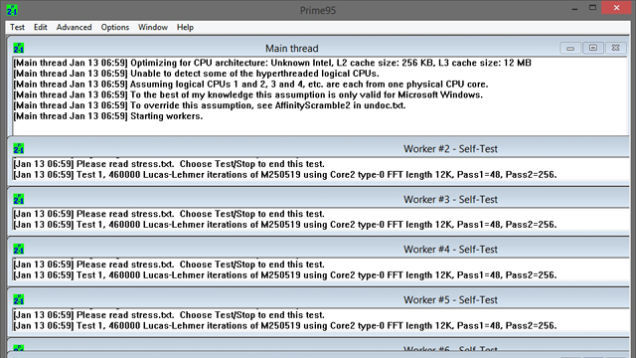
Overclockers are probably very familiar with stress testing utilities like You do not have permission to view the full content of this post. Log in or register now., You do not have permission to view the full content of this post. Log in or register now., andYou do not have permission to view the full content of this post. Log in or register now.. If you've overclocked your CPU, you should definitely keep these around, but they can be useful for non-overclockers too. When your processor is having issues, it can be difficult to diagnose. If some of your apps are crashing, a stress test like Prime95 can help you figure out whether your CPU is the problem (or whether it's something else). Many folks also recommend giving a new computer a stress test to make sure there aren't any problems. Most of these are also portable, so you can throw them in a folder and start them up when you need them.

A Beginner's Introduction to Overclocking Your Intel Processor
If you want to squeeze every last ounce of processing power out of your new (or aging) computer,…Read more
7. 𝐌𝐚𝐥𝐰𝐚𝐫𝐞𝐛𝐲𝐭𝐞𝐬, VirusTotal, and AdwCleaner
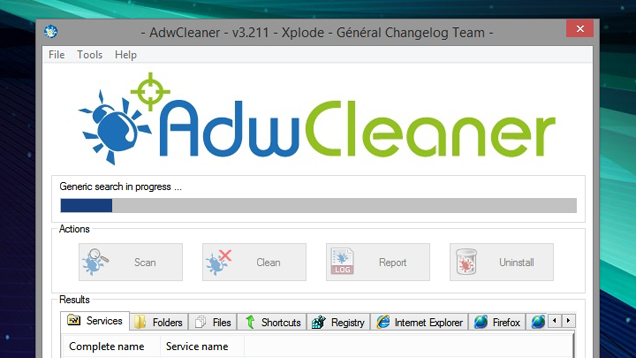
We put these in the same category since they all protect you from unwanted programs, but they're each useful in their own right. You probably have a good antivirus program running all the time, but no antivirus program catches everything—so it's useful to have a secondary program to check once in awhile. 𝐌𝐚𝐥𝐰𝐚𝐫𝐞𝐛𝐲𝐭𝐞𝐬 is great because it only works on-demand, which means it won't conflict with your always-running antivirus tool. The You do not have permission to view the full content of this post. Log in or register now., on the other hand, lets you scan any individual file with over 50 antivirus tools at once, so it's great if you've downloaded something you think might be fishy. Lastly, if you've accidentally installed an annoying toolbar on your system that just won't go away, You do not have permission to view the full content of this post. Log in or register now. will help you get rid of it.

The Difference Between Antivirus and Anti-Malware (and Which to Use)
Antivirus is a confusing matter: it's called antivirus, but there are tons of other types of…Read more
6. Magical Jelly Bean KeyFinder
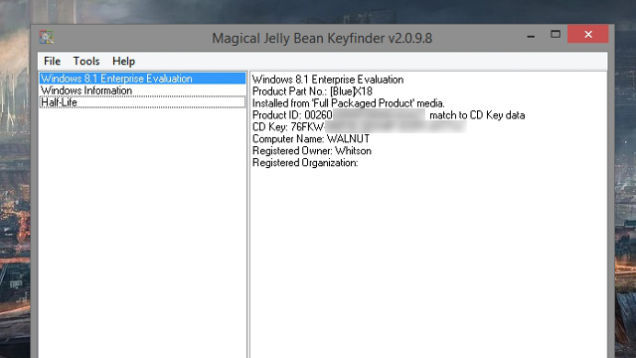
Ever had to reinstall a program, but couldn't find your product key? You do not have permission to view the full content of this post. Log in or register now. will search your PC for installed programs, and—if they have a product key—show them to you, so you can write it down and use it the next time you reinstall. Note: this one contains some toolbars and such upon installation, so be sure to use the custom installation to avoid the crapware.
5. Process Explorer
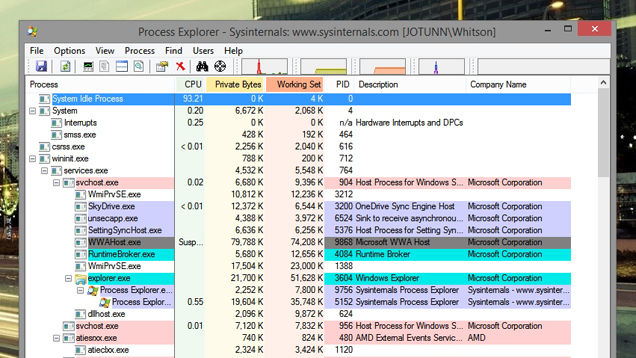
The Windows Task Manager can show you a lot of information about what programs are running, and usually it does what you need it to. But on the rare occasions you need more information—like if you're trying to figure out which program is using your webcam, for example—you need You do not have permission to view the full content of this post. Log in or register now.. Process Explorer is one of the many Task Manager alternatives out there, offering information on what files are currently in use, what hardware, and what each program is doing. If the regular Task Manager isn't giving you the info you need, Process Explorer will.
Five Best Windows Task Manager Alternatives
The Windows Task Manager is a functional but basic tool for keeping an eye on what your…Read more
4. UNetbootin and YUMI
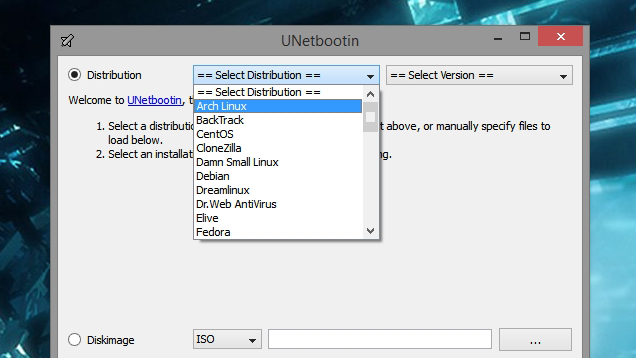
Even if you're a diehard Windows user, Linux can be really useful from time to time—especially for troubleshooting. Traditionally, Linux distros and other troubleshooting tools come in the form of live CDs, but if you don't have a CD drive, You do not have permission to view the full content of this post. Log in or register now. is a seriously handy tool. It can turn nearly any ISO into a bootable flash drive. Even better is You do not have permission to view the full content of this post. Log in or register now., which lets you put multiple live CDs on one flash drive—meaning you can combine all your favorite rescue discs, Linux distros, and other tools and put them in your pocket.

Top 10 Uses for Linux (Even If Your Main PC Runs Windows)
Even if you're a Windows (or Mac) user, knowing how to use Linux is a valuable skill, and it…Read more
3. Wireless Network Watcher (and Other Network Tools)
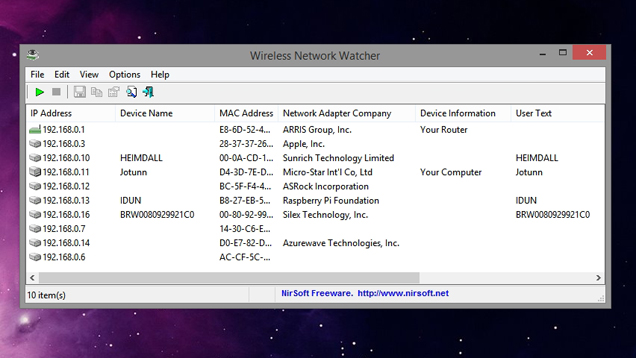
Need to see a list of all the computers on your network, along with IP addresses, MAC addresses, and other information? Whether you're planning your network or think someone's s†éáling your Wi-Fi, You do not have permission to view the full content of this post. Log in or register now. is a handy tool to have around. Despite its name, it works over wired networks, too. Of course, we also recommend checking out all ofYou do not have permission to view the full content of this post. Log in or register now.—which one you use depends on what you're trying to troubleshoot, but they're all pretty awesome.

How Can I Find Out If Someone’s s†éáling My Wi-Fi?
Dear Lifehäçker, Lately it seems like my high speed connection is bogged down, and I'm getting …Read more
2. WinDirStat
We all reach that fateful day at some point: when your computer tells you its running out of space. Not sure where it's all going? You do not have permission to view the full content of this post. Log in or register now. will tell you. It scans all of your disks and shows you the biggest folders, which file types are taking up space, and more. If you've tried the usual things (like Disk Cleanup) and are still coming up short, WinDirStat is the next step in the disk cleaning process.
1. Sandboxie
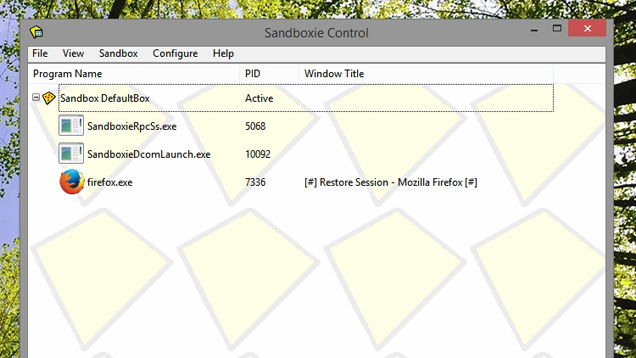
Let's admit it: sometimes, even though we know it's wrong, we all open the occasional sketchy program or file. We're not judging, but if you're going to do it, at least use protection. EnterYou do not have permission to view the full content of this post. Log in or register now., which lets you run programs independent of the rest of your system. That way they can't infect, access, or otherwise interfere with your Windows installation. It's also great for testing apps you aren't sure of or running multiple instances of an app that won't let you, so it's fun for the whole family.
Maybe you've forgotten what kind of RAM you bought, or want a quick glance at your CPU's temperature. You do not have permission to view the full content of this post. Log in or register now. scans your machine and gives you a complete rundown of everything, from model numbers to temperatures, fan speeds, S.M.A.R.T. status, and...well, pretty much anything else you can think of. It's also available in portable form, so you don't have to install anything—just stick it in a folder for when you really need it. For an alternative, check out HWiNFO.
9. Ultimate Windows Tweaker
When you first install Windows, you probably get everything set up just the way you like it, including all your favorite little Registry häçks and unsupported tweaks. You might even discover new ones later and try them out. Apps like You do not have permission to view the full content of this post. Log in or register now. make this a lot easier, and they're useful to keep around later if you start incorporating new things into your workflow. Its list of features is endless, allowing you to tweak the tiniest features in the taskbar, Windows Explorer, the lock screen, and anything else you could imagine. Download it once and keep it forever (and as always, back up before you start tweaking your system).
8. Stress Testing Utilities
Overclockers are probably very familiar with stress testing utilities like You do not have permission to view the full content of this post. Log in or register now., You do not have permission to view the full content of this post. Log in or register now., andYou do not have permission to view the full content of this post. Log in or register now.. If you've overclocked your CPU, you should definitely keep these around, but they can be useful for non-overclockers too. When your processor is having issues, it can be difficult to diagnose. If some of your apps are crashing, a stress test like Prime95 can help you figure out whether your CPU is the problem (or whether it's something else). Many folks also recommend giving a new computer a stress test to make sure there aren't any problems. Most of these are also portable, so you can throw them in a folder and start them up when you need them.
A Beginner's Introduction to Overclocking Your Intel Processor
If you want to squeeze every last ounce of processing power out of your new (or aging) computer,…Read more
7. 𝐌𝐚𝐥𝐰𝐚𝐫𝐞𝐛𝐲𝐭𝐞𝐬, VirusTotal, and AdwCleaner
We put these in the same category since they all protect you from unwanted programs, but they're each useful in their own right. You probably have a good antivirus program running all the time, but no antivirus program catches everything—so it's useful to have a secondary program to check once in awhile. 𝐌𝐚𝐥𝐰𝐚𝐫𝐞𝐛𝐲𝐭𝐞𝐬 is great because it only works on-demand, which means it won't conflict with your always-running antivirus tool. The You do not have permission to view the full content of this post. Log in or register now., on the other hand, lets you scan any individual file with over 50 antivirus tools at once, so it's great if you've downloaded something you think might be fishy. Lastly, if you've accidentally installed an annoying toolbar on your system that just won't go away, You do not have permission to view the full content of this post. Log in or register now. will help you get rid of it.
The Difference Between Antivirus and Anti-Malware (and Which to Use)
Antivirus is a confusing matter: it's called antivirus, but there are tons of other types of…Read more
6. Magical Jelly Bean KeyFinder
Ever had to reinstall a program, but couldn't find your product key? You do not have permission to view the full content of this post. Log in or register now. will search your PC for installed programs, and—if they have a product key—show them to you, so you can write it down and use it the next time you reinstall. Note: this one contains some toolbars and such upon installation, so be sure to use the custom installation to avoid the crapware.
5. Process Explorer
The Windows Task Manager can show you a lot of information about what programs are running, and usually it does what you need it to. But on the rare occasions you need more information—like if you're trying to figure out which program is using your webcam, for example—you need You do not have permission to view the full content of this post. Log in or register now.. Process Explorer is one of the many Task Manager alternatives out there, offering information on what files are currently in use, what hardware, and what each program is doing. If the regular Task Manager isn't giving you the info you need, Process Explorer will.
Five Best Windows Task Manager Alternatives
The Windows Task Manager is a functional but basic tool for keeping an eye on what your…Read more
4. UNetbootin and YUMI
Even if you're a diehard Windows user, Linux can be really useful from time to time—especially for troubleshooting. Traditionally, Linux distros and other troubleshooting tools come in the form of live CDs, but if you don't have a CD drive, You do not have permission to view the full content of this post. Log in or register now. is a seriously handy tool. It can turn nearly any ISO into a bootable flash drive. Even better is You do not have permission to view the full content of this post. Log in or register now., which lets you put multiple live CDs on one flash drive—meaning you can combine all your favorite rescue discs, Linux distros, and other tools and put them in your pocket.
Top 10 Uses for Linux (Even If Your Main PC Runs Windows)
Even if you're a Windows (or Mac) user, knowing how to use Linux is a valuable skill, and it…Read more
3. Wireless Network Watcher (and Other Network Tools)
Need to see a list of all the computers on your network, along with IP addresses, MAC addresses, and other information? Whether you're planning your network or think someone's s†éáling your Wi-Fi, You do not have permission to view the full content of this post. Log in or register now. is a handy tool to have around. Despite its name, it works over wired networks, too. Of course, we also recommend checking out all ofYou do not have permission to view the full content of this post. Log in or register now.—which one you use depends on what you're trying to troubleshoot, but they're all pretty awesome.
How Can I Find Out If Someone’s s†éáling My Wi-Fi?
Dear Lifehäçker, Lately it seems like my high speed connection is bogged down, and I'm getting …Read more
2. WinDirStat
We all reach that fateful day at some point: when your computer tells you its running out of space. Not sure where it's all going? You do not have permission to view the full content of this post. Log in or register now. will tell you. It scans all of your disks and shows you the biggest folders, which file types are taking up space, and more. If you've tried the usual things (like Disk Cleanup) and are still coming up short, WinDirStat is the next step in the disk cleaning process.
1. Sandboxie
Let's admit it: sometimes, even though we know it's wrong, we all open the occasional sketchy program or file. We're not judging, but if you're going to do it, at least use protection. EnterYou do not have permission to view the full content of this post. Log in or register now., which lets you run programs independent of the rest of your system. That way they can't infect, access, or otherwise interfere with your Windows installation. It's also great for testing apps you aren't sure of or running multiple instances of an app that won't let you, so it's fun for the whole family.


