@PHC-Pablos..Check the Dashboard IP of your converge modem, default is 192.168.1.1
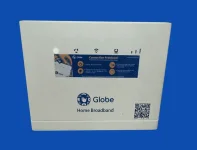
Tutorial for B315s-938 Default Globe Modem Only:
- Open B315s-938 Dashboard at 192.168.254.254.
- Sign in (Doesn@t require full admin ac..ess).
- Open Settings.
- Find DHCP Option.
- Change IP Address to "192.168.1.2" without ".
- Re-open B315s-938 Dashboard at 192.168.1.2.
- Sign in again and open Settings and go to DHCP.
- Turn off DHCP Server.
- Power off B315s-938 modem then connect the Ethernet cable from your converge modem to B315s-938 modem.
- Power on the B315s-938 modem.
- Connect to the wifi of either your converge modem or the B315s-938 modem.
- Open 192.168.1.2 and change your wifi settings if you want.
 PH
PH