PH
PH
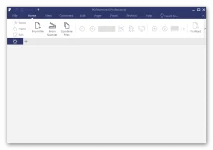
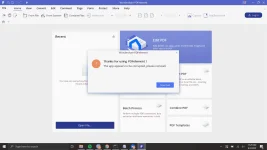
Wondershare PDFelement 7 Pro C.r.a.c.k. : displays a more than comprehensive interface. At its core, you have a large preview section, a ribbon-like top panel that should be familiar to you and a side toolbar that lets you view the thumbnails, bookmarks, annotations and search for content. It is a software solution designed to bring together all the standard and necessary tools that are PDF related.
Wondershare PDFelement 7 Pro License if you can view documents, create new from other files, edit existing ones, convert them to different formats and even sign them using valid signatures. The application enables you to open any PDF document, and with a few clicks you can add text or access the OCR tool. You can open and work with multiple files at the same time, extract specific pages and even combine PDF documents.
Wondershare PDFelement 7 Pro C.r.a.c.k. Features :
- With PDF element, alter text and change fonts as you do in Microsoft Suite. Just click and start typing – it’s that easy.
- Our top-of-the-line OCR (Optical Character Recognition) technology turns scanned documents into a fully editable document allowing you to search, edit, format, resize, all text. Multiple languages supported including English, Korean, Russian, German, Spanish, and much more.
- Want to work on the document with other programs? Convert from and to PDF directly from Word, Excel, Image, and different popular file types.
- A picture is worth a thousand words. Just insert an image to your PDF and rearrange the sizing appropriate to your document.
- Working on a legal document and want an easy way of identification and retrieval? The place was identifying numbers on each page to help multiple index pages for easy recognition and search.
- Edit an existing form or create your own with customizable field options such as text field, checkbox, radio button, combo box, list box, button, or a signature field. They are all interactive to make data collection or survey creation a breeze.
- Have more than one file you want to combine? PDF element allows for the conversion of multiple files into a straightforward PDF for easy organization.
- Highlight important text with our highlighting tool or make sticky notes to communicate detailed information. Select from over 20 predefined stamps to help archive or customize your own to feature a specific area of the document.
- We know some of your documents are sensitive and needs a layer of protection. Set restrictions for opening, copying, editing, and printing to make sure your files are safe even if they fall into the wrong hands.
- Received an RFP or need to sign a contract? Use the provided industry-standard encrypted digital signatures or create one specifically for your handwritten signature.
- Some information is confidential and sensitive to the public eye. To avoid private information from getting out, the redaction tool offers the ability to permanently black out the text or image.
- Minor Bug Fixed.
Spoiler contents are visible only to Established Members.