PH
PHshare ko lang mga tsong
You do not have permission to view the full content of this post. Log in or register now.
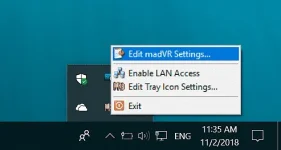
Madvr optimal setting for refine video quality
system utilisation : Gpu vram 1.5 to 2 gb + 250 mb for media player classic
1.DEVICES - identification
*Device type = set to Digital monitor / TV
2.PROCESSING - artifact removal
*Banding Artificats = debanding strength + fade = set to
*Compression Artifacts = Strength = 14 / quality High or Very High (can cause dropped frames if gpu is not capable tone down to high or medium)
(utilise 50 to 75% Gpu with 1.5 to 2Gb vram)
(no need to activate chroma channels)
3.SCALING ALGORITHM
*Chroma upscaling = Color
Bilinear = Gpu texture (meh quality / less demanding)
Jinc = (Better quality / somewhat demanding)
Xbr / Ngu = (Highest quality / requires GTX 1070 or Rx 580)
*Image upscaking = Sharpness / crispness ( same with chroma but much more demanding )
4.RENDERING
*Dithering = Set to error diffusion 1 or 2 for better output (requires dx11 gpu)
*Trade quality for performance (UNCHECK EVERYTHING)
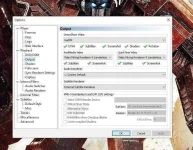
mpc hc setting renderer
Lav
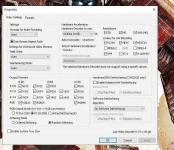
Use appropriate decoder :
i have nvidia card so i used Nvidia cuvid
if you have intel hd use quicksync or DXVA COPY BACK
if amd use D3d11 or DXVA COPY BACK
use CTRL + J shortcut when playing a video in mpc to check for dropped frames
if you noticed constant dropped frames while playing the video for 1 minute - tone down some settings
You do not have permission to view the full content of this post. Log in or register now.
Madvr optimal setting for refine video quality
system utilisation : Gpu vram 1.5 to 2 gb + 250 mb for media player classic
1.DEVICES - identification
*Device type = set to Digital monitor / TV
2.PROCESSING - artifact removal
*Banding Artificats = debanding strength + fade = set to
*Compression Artifacts = Strength = 14 / quality High or Very High (can cause dropped frames if gpu is not capable tone down to high or medium)
(utilise 50 to 75% Gpu with 1.5 to 2Gb vram)
(no need to activate chroma channels)
3.SCALING ALGORITHM
*Chroma upscaling = Color
Bilinear = Gpu texture (meh quality / less demanding)
Jinc = (Better quality / somewhat demanding)
Xbr / Ngu = (Highest quality / requires GTX 1070 or Rx 580)
*Image upscaking = Sharpness / crispness ( same with chroma but much more demanding )
4.RENDERING
*Dithering = Set to error diffusion 1 or 2 for better output (requires dx11 gpu)
*Trade quality for performance (UNCHECK EVERYTHING)
mpc hc setting renderer
Lav
Use appropriate decoder :
i have nvidia card so i used Nvidia cuvid
if you have intel hd use quicksync or DXVA COPY BACK
if amd use D3d11 or DXVA COPY BACK
use CTRL + J shortcut when playing a video in mpc to check for dropped frames
if you noticed constant dropped frames while playing the video for 1 minute - tone down some settings