🔒 Closed Pixelated Font/Text

Status
Not open for further replies.

Flowerbean

Eternal Poster
Pahelp naman, pixelated kasi yung font/text sa windows 10 ko. I've already searched some tutorials on Google and YouTube but none of them works.
Ano kaya problem neto? Any solutions po?
Thanks
 
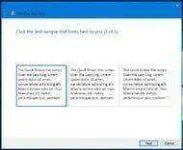
To do so, go to the Windows 10 search box in the bottom-left corner of the screen and type “ClearType.” In the results list, select “Adjust ClearType text” to open the control panel. When the ClearType Text Tuner control panel opens, make sure the box next to “Turn on ClearType” is checked and then click the Next button.


Image 21techtipwebART-articleInline.webp
The ClearType Text Tuner control panel in Windows.Credit...The New York Times
Windows 10 then checks your monitor resolution to make sure it is set properly. Click the Next button again.

Over the next five screens, you are presented with several text blocks and asked to select the one that looks best to you. (The process is not unlike an eye exam). Once you click the Finish button, your ClearType settings are tuned accordingly.
If you want to make further adjustments, go to the Start menu, select Settings and open System. Select Display from the list of system settings on the left side of the box. Here, you can adjust the size of the text you see on screen and change the brightness level. Select the Advanced Display Settings link at the bottom of the box and choose Color Calibration to fine-tune the colors on your display, or the “Advanced sizing of text and other items” option to bump up the text size in window title bars, menus and other screen elements.
 
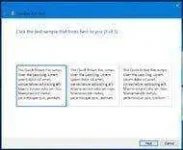
To do so, go to the Windows 10 search box in the bottom-left corner of the screen and type “ClearType.” In the results list, select “Adjust ClearType text” to open the control panel. When the ClearType Text Tuner control panel opens, make sure the box next to “Turn on ClearType” is checked and then click the Next button.


Image21techtipwebART-articleInline.webp
The ClearType Text Tuner control panel in Windows.Credit...The New York Times
Windows 10 then checks your monitor resolution to make sure it is set properly. Click the Next button again.

Over the next five screens, you are presented with several text blocks and asked to select the one that looks best to you. (The process is not unlike an eye exam). Once you click the Finish button, your ClearType settings are tuned accordingly.
If you want to make further adjustments, go to the Start menu, select Settings and open System. Select Display from the list of system settings on the left side of the box. Here, you can adjust the size of the text you see on screen and change the brightness level. Select the Advanced Display Settings link at the bottom of the box and choose Color Calibration to fine-tune the colors on your display, or the “Advanced sizing of text and other items” option to bump up the text size in window title bars, menus and other screen elements.

Kita ko na yan pero wala din
 
I-check mo ang display settings ng monitor mo dapat at least may 6 options dun ng resolution pero kung dalwa lang ang available ibig sabihin kulang sa update yang unit mo alinman sa integrated graphics or gpu mo i-update mo lang at matapos nun pili ka ng compatible resolution para sa device mo
 
Status
Not open for further replies.

About this Thread

  • 9
    Replies
  • 385
    Views
  • 4
    Participants
Last reply from:
Pepebear

Trending Topics

Online now

Members online
1,035
Guests online
725
Total visitors
1,760

Forum statistics

Threads
2,276,975
Posts
28,973,480
Members
1,229,674
Latest member
Mjivo
Back
Top