 PH
PH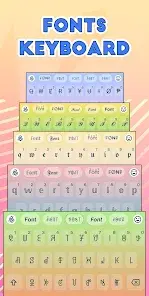
App Overview: Stylish Text - Fonts Keyboard
Stylish Text is a utility application designed to customize text across various platforms using custom fonts, symbols, and text styles. It allows users to format text for bios, social media posts, chats, and gaming nicknames.General Specifications
| Detail | Specification |
|---|---|
| App Version | v2.6.8-gms b337 |
| Minimum OS | Android 8.0+ |
| Mod Status | Premium / ρáíd Features Unlocked |
| Developer / Modder | PlatinumMods |
| Ad Structure | Credit advertisements present; all other ads removed |
| Optimization | Debug codes removed |
Core Features
- Fonts Keyboard: Integrated system keyboard allowing direct entry of stylish fonts within third-party chat applications.
- Sticker Maker: Converts camera or gallery images into custom stickers with square, round, or freehand cropping, supporting stylized text overlays.
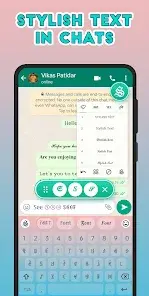
- Chat Styles Popup: Provides quick access via a Floating Bubble, Floating Bar, or Text Menu overlay without needing to launch the main application.
- Style Editor: Enables the creation of custom text styles, addition of symbols/emojis around text, letter replacement, and custom word spacing.
- Random Letters: Formats text into Capital, Small, Random, Camel, and Reverse Camel letter styles.
- Nickname Generator: Creates unique identifiers and nicknames for gaming platforms such as FreeFire and BGMI using custom text and unicode symbols.
- Unicode Symbols: Access to a library of thousands of decorative symbols.
Available Styles & Assets
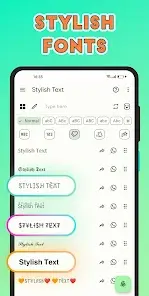
The application contains 120 Text styles, 20 Number styles, and over 100 Art styles, including:- BLUE, Double Struck, Monospace, Small Caps
- Script (Normal, Bold), Fraktur (Normal, Bold)
- Sans Mono (Normal, Bold), Math (Bold, Italic, Bold Italic)
- Circular, Squared, Dark Circles, Dark Squares
- Upside Down, Mirrored, Brackets, Square Brackets
- Slashed, Double Slashed, Strike Through, Double Decker
- Dots UP DOWN, Superscript, Subscript
Technical Notes & Limitations
Accessibility Service Notice: This application utilizes Android Accessibility services to detect and transform typed text into selected styles within external applications.
- OS Constraints: The full suite of 120+ styles requires Android 8.0 or above. Devices running Android 7.1, 7.0, or 6.0 will experience missing styles.
- Device Compatibility: The Text Menu option may not function on certain devices or OEM skins (e.g., Redmi, Mi, POCO).
- Font Constraints: Certain styles are restricted to exclusively capital or lowercase letters.
- Samsung Rendering: "BLUE" letters do not render in blue on Samsung devices due to vendor-specific font implementation.
- Language Support: Most text styles require languages utilizing Latin characters to function correctly.
What's New
- Implemented Material UI.
- Added supplementary text tools.
- Resolved keyboard stability issues.
- Applied critical application bug fixes.

.webp "(ditto) :(ditto):")
