PH
PHacervergel87
Forum Guru
Pros
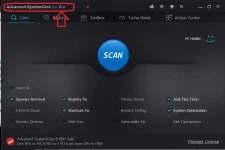
System security: Advanced SystemCare 8 Free includes interesting security features like Homepage Protection, System Reinforce, and Surfing Protection, in addition to malware, spyware, and junk file cleaners.
One-click scans: Fast scans, deep cleaning, single-click performance, and Internet and security boosting make this software a joy to use, especially once you've configured each one-click tool's options to suit your needs.
Toolbar/Plug-In cleaner: Advanced SystemCare 8 integrates IObit Uninstaller's Toolbar/Plug-In cleaner, which not only removes browser barnacles but also helps protect against them.
PC Health and Performance Monitor: Emoticons communicate your PC's performance and security status when you mouse over the PC Health icon. Expand the desktop Performance Monitor for details.
Cons
Pro features: Some tools and features in Advanced SystemCare 8's menus aren't available in the free version.
Multiple uninstall: We're pleased that this software includes IObit Uninstaller and other extras, but these should also uninstall as they were installed -- all at once instead of piecemeal.
Bottom Line
Advanced SystemCare 8 Free bundles various security- and performance-boosting tools. The Pro upgrade adds some coveted features, but the Free tool will meet your essential needs.
..: INSTALL NOTES :..
1] Install the program
2] Copy "OFCommon.dll" file from 'Crack' folder to install directory.
3] Delete "Auto Update.exe" from "C:\Program Files\IObit\Advanced SystemCare 8"
4] Then Go to "c:\Windows\System32\drivers\etc\hosts"
5] Open the "hosts" file with Notepad.
6] Add these two lines in host file:
127.0.0.1 You do not have permission to view the full content of this post. Log in or register now.
127.0.0.1 You do not have permission to view the full content of this post. Log in or register now.
7] DO NOT UPDATE. Done, Enjoy

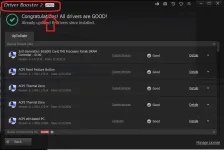
------------------------------------------------------------------------------------------------------------------------------------------Driver Booster 2
The Most Effective and Easiest Driver Updater
- Automatically Identify Outdated Drivers
- One-click Driver Update for Maximum Hardware Performance
- Specialized Driver Tweaking for Top Gaming Experience
- Complete Updating & Restore Secure Technology