 PH
PH

A complete set of tools to manage your device, Advanced Tools is: file manager'task manager
apk manager'system manager and now much more with new device-related tools (sensors-
gps-flashlight) !!
Even more options and features available for root users.

Logcat tool now requires root in order to run, READ_LOG permission has been removed.
CAMERA permission was added to make the flashlight tool available for a wider range of devices.
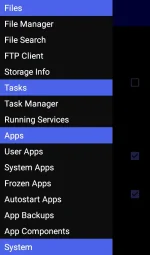
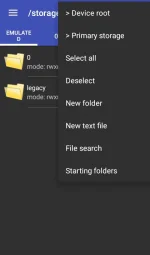

 File operations between tabs (no need to navigate back!) Access/modify RO folders, system, data, etc. Copy, cut, paste, delete, rename files or folders Add new folders Add new text files Integrated mini text editor Search files or folders Get file or folder details Set file or folder permissions Zip/unzip files or whole folders Browse zip file's contents Unzip selected contents from a zip file Send files via bluetooth Share supported files Storage info with pie charts Set starting folders (shortcuts) FTP: download/upload files or whole folders FTP: browse FTP contents, add new folders Info and guide !!
✳✳✳✳✳✳✳✳✳✳
COLOnge LCD density
 Change the heap size Change "max events per second" value Change the WiFi scan interval more properties from build.prop file Change min kbytes" Change "vfs cache pressure" value Change swappiness value Change dirty ratio and dirty background ratio ...and more kernel's VM and sysctl parameters Configure Android's internal task killer Access special settings and info View filesystem View dmesg (Kernel Debug Messages) View live logcat Record, filter, stop, resume logcat Detect CarrierIQ Info and guide !!
✳✳✳✳✳✳✳✳✳✳✳
 Uninstall applications Freeze system applicationsUninstall system applications Backup and restore applicationsClear app cache/data Manage startup apps (grant/deny auto-start)Manage app components! ( Pro only)View content of manifest file ( Pro only) Safelist (ignore list) Info and guide !!
 terminal emulator Execute linux commands Quick buttons for mount and set permissions
SENSOR ANALYZER
Scan and analyze all the sensors installedCompass toolCompass calibration tool Magnetic field detectorGet all the info passed by GPS deviceFast fix tool to get signal fixed in less timeScan satellites and get dedicated info Get your current location's addressCPU MONITOR
Time in State monitorReal-time CPU meterFloating CPU meterSet scaling frequencies and governorFLASHLIGHT!
Use the camera flashlight as a torch One touch to power on / power offQuick launch from notification barHide notification bar (fullscreen)Change theme (3 skins - 8 skins in mod version) !!
You do not have permission to view the full content of this post. Log in or register now.
