 PH
PHCreate stunning animated Windows mouse cursors for your PC with CursorFX.
Easily apply skins, shadows, motion trails and sounds to your cursors. CursorFX comes complete with over 12 unique cursors.
Thousands of cursors are available for download from WinCustomize.com
How to Apply:
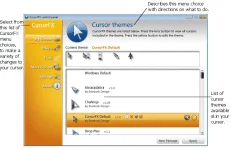
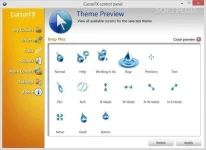
CursorFX is easy to use, simply choose a cursor from the preview list and click apply to begin using your new cursor.
Return the default Windows cursor at any time from the control panel or by pressing ctrl+shift+c on your keyboard.
click the link below to download the installer.
You do not have permission to view the full content of this post. Log in or register now.
Please hit the LIKE button to stay updated.
Easily apply skins, shadows, motion trails and sounds to your cursors. CursorFX comes complete with over 12 unique cursors.
Thousands of cursors are available for download from WinCustomize.com
How to Apply:
CursorFX is easy to use, simply choose a cursor from the preview list and click apply to begin using your new cursor.
Return the default Windows cursor at any time from the control panel or by pressing ctrl+shift+c on your keyboard.
click the link below to download the installer.
You do not have permission to view the full content of this post. Log in or register now.
Please hit the LIKE button to stay updated.
 salamat dito...