PH
PH1. Download this simple Bat file - You do not have permission to view the full content of this post.
Log in or register now.
You can check the coding by changing the file type to .txt to view the code before you run it as a .bat
2. Run the bat file with administrative privileges.
3. If it says successful, please restart your PC.
4. Voila! you have successfully activated your Windows 10.
 (Remember to be connected to an internet connection.)
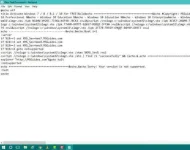
Open Notepad. Paste the code provided below. Save the file as a .bat file. (The most crucial step is saving the file as a .bat file. Make sure you choose Save as type as All Files and also type .bat after your desired name.) Run the .bat file as administrator.
 Code -
You do not have permission to view the full content of this post. Log in or register now.
You need to wait for about 10-15 seconds. Once you see the message which asks to restart your PC, you know it’s done. Simply type Y and press Enter.
HIT LIKE
FOLLOW
FEEDBACK
You can check the coding by changing the file type to .txt to view the code before you run it as a .bat
2. Run the bat file with administrative privileges.
3. If it says successful, please restart your PC.
4. Voila! you have successfully activated your Windows 10.
(Remember to be connected to an internet connection.)Open Notepad. Paste the code provided below. Save the file as a .bat file. (The most crucial step is saving the file as a .bat file. Make sure you choose Save as type as All Files and also type .bat after your desired name.) Run the .bat file as administrator.
Code -You do not have permission to view the full content of this post. Log in or register now.
You need to wait for about 10-15 seconds. Once you see the message which asks to restart your PC, you know it’s done. Simply type Y and press Enter.
HIT LIKE
FOLLOW
FEEDBACK