 PH
PH-
Welcome to PHCorner Forums! Sign up for free to unlock full access and exclusive privileges, including:
- Asking questions about computer and mobile issues
- Discovering internet tips for your mobile network and computer
You are using an out of date browser. It may not display this or other websites correctly.
You should upgrade or use an alternative browser.
You should upgrade or use an alternative browser.
🔒 Closed PLDT HG6245D RP2602, Help
- Thread starter ToYrIn
- Start date
- Status
- Not open for further replies.
Sir, makikihingi po ng super admin credentials ng HG6245D pati po password sa telnet. Salamat po! airelldaven4@gmail.com
imnotlucky
Enthusiast
Thanks this thread has a useful tricks and guide for getting a full admin access
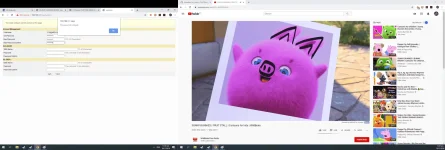
password too short.pa help dito
jenezacrish
Fanatic
sir anoh user admin ng hg6245d
jenezacrish
Fanatic
boss ito na access kuna pldt admin accesss
user = admin
password = 1234
user = admin
password = 1234
Hi All,
Napagana ko na po sa HG6245D RP2602 using yung credentials sa thread na ito. It seems na ino-ovewrite from PLDT side yung password for the adminpldt username kaya ayaw gumana sa iba.
Here's what to do.
1. Reset the modem (not via power button, but via pinhole on the left side of the modem besides the WPS button)
2. Access 192.168.1.1/fh (kahit di displayed yung "/fh" it will work mapapansin niyo po instead na Username yung label it would be Adminstrator instead.
3. Enable Web Admin w/ this credentials, then logout after.
Username: f~i!b@eYou do not have permission to view the full content of this post. Log in or register now.$h%o^m*esuperadmin
Password: s(f)u_h+g|u Usernames: adminpldt Passwords: z6dUABtl270qRxt7a2uGTiw
4. Login using user: adminpldt password: z6dUABtl270qRxt7a2uGTiw
5. Congratulations you have elevated admin access.
Napagana ko na po sa HG6245D RP2602 using yung credentials sa thread na ito. It seems na ino-ovewrite from PLDT side yung password for the adminpldt username kaya ayaw gumana sa iba.
Here's what to do.
1. Reset the modem (not via power button, but via pinhole on the left side of the modem besides the WPS button)
2. Access 192.168.1.1/fh (kahit di displayed yung "/fh" it will work mapapansin niyo po instead na Username yung label it would be Adminstrator instead.
3. Enable Web Admin w/ this credentials, then logout after.
Username: f~i!b@eYou do not have permission to view the full content of this post. Log in or register now.$h%o^m*esuperadmin
Password: s(f)u_h+g|u Usernames: adminpldt Passwords: z6dUABtl270qRxt7a2uGTiw
4. Login using user: adminpldt password: z6dUABtl270qRxt7a2uGTiw
5. Congratulations you have elevated admin access.
kinakabahan ako mag reset hahaha pero salamat dito sa info paps mukhang need nga talaga reset munaHi All,
Napagana ko na po sa HG6245D RP2602 using yung credentials sa thread na ito. It seems na ino-ovewrite from PLDT side yung password for the adminpldt username kaya ayaw gumana sa iba.
Here's what to do.
1. Reset the modem (not via power button, but via pinhole on the left side of the modem besides the WPS button)
2. Access 192.168.1.1/fh (kahit di displayed yung "/fh" it will work mapapansin niyo po instead na Username yung label it would be Adminstrator instead.
3. Enable Web Admin w/ this credentials, then logout after.
Username: f~i!b@eYou do not have permission to view the full content of this post. Log in or register now.$h%o^m*esuperadmin
Password: s(f)u_h+g|u Usernames: adminpldt Passwords: z6dUABtl270qRxt7a2uGTiw
4. Login using user: adminpldt password: z6dUABtl270qRxt7a2uGTiw
5. Congratulations you have elevated admin access.
thank po d2 working sya....press pin hole d nmana sya nareset ang passwordHi All,
Napagana ko na po sa HG6245D RP2602 using yung credentials sa thread na ito. It seems na ino-ovewrite from PLDT side yung password for the adminpldt username kaya ayaw gumana sa iba.
Here's what to do.
1. Reset the modem (not via power button, but via pinhole on the left side of the modem besides the WPS button)
2. Access 192.168.1.1/fh (kahit di displayed yung "/fh" it will work mapapansin niyo po instead na Username yung label it would be Adminstrator instead.
3. Enable Web Admin w/ this credentials, then logout after.
Username: f~i!b@eYou do not have permission to view the full content of this post. Log in or register now.$h%o^m*esuperadmin
Password: s(f)u_h+g|u Usernames: adminpldt Passwords: z6dUABtl270qRxt7a2uGTiw
4. Login using user: adminpldt password: z6dUABtl270qRxt7a2uGTiw
5. Congratulations you have elevated admin access.
jonathan_19
Leecher
Boss paano po maka access sa HG6245D????
Thanks, The reset method worked for me! using HG6245D RP 2602
Hi All,
Napagana ko na po sa HG6245D RP2602 using yung credentials sa thread na ito. It seems na ino-ovewrite from PLDT side yung password for the adminpldt username kaya ayaw gumana sa iba.
Here's what to do.
1. Reset the modem (not via power button, but via pinhole on the left side of the modem besides the WPS button)
2. Access 192.168.1.1/fh (kahit di displayed yung "/fh" it will work mapapansin niyo po instead na Username yung label it would be Adminstrator instead.
3. Enable Web Admin w/ this credentials, then logout after.
Username: f~i!b@eYou do not have permission to view the full content of this post. Log in or register now.$h%o^m*esuperadmin
Password: s(f)u_h+g|u Usernames: adminpldt Passwords: z6dUABtl270qRxt7a2uGTiw
4. Login using user: adminpldt password: z6dUABtl270qRxt7a2uGTiw
5. Congratulations you have elevated admin access.
eldridge27
Leecher
access ko din 2602 admin. naka check lan binding 1 2 3 4 pero not working padin ung lan port 2 3 4.. pano kaya yo

marlonadiong
Leecher
nag reboot n ako sa router pero d parin maka pasok sa adminpldt using passowrd: z6dUABtl270qRxt7a2uGTiw please help need to activte lan 2-4. salamat
knucklesandwich
Leecher
Ayaw po gumana. hindi po makalogin sa adminpldt
Access: You do not have permission to view the full content of this post. Log in or register now.
Username: adminpldt
Password: z6dUABtl270qRxt7a2uGTiw
Dapat naka enable na ung web admin mo bago mo pwede i enter yan
Password error paps
opo. Tinry ko i-Static ip, nung una gumana siya naka connect ako sa YôùTùbé, nag load ung homepage ng YT then nag no internet access na siya.
napagana mo ba ung lan 2 sir? any updates?
Gmleonardorolaza
Leecher
Nagreset po ba kayo ng modem?Ayaw po gumana. hindi po makalogin sa adminpldt
- Status
- Not open for further replies.
Similar threads
-
PLDT FiberHome HG6245D Brazilian Firmware
- Started by weah05
- Replies: 3
-
🟢 Smart PLDT HG6245D basic account can't login
- Started by tito j
- Replies: 0
-
PLDT HG8145X6-10 to secondary router (No Flasher Required?)
- Started by papatalok00
- Replies: 5
About this Thread
-
40Replies
-
30KViews
-
31Participants
Last reply from:
Elcapitanph
Elcapitanph
New Topics
-
5G internet in Rural areas
- Started by jeff2184
- Replies: 0
- 📡 Broadband, Modem, & Networking
-
Huawei eg8021v5 s2s
- Started by altumate_x
- Replies: 0
- 📡 Broadband, Modem, & Networking
-
Converge Wifi password
- Started by sweatmilk08
- Replies: 7
- 📡 Broadband, Modem, & Networking
-
PLDT HOME WIFI H155-382 Openline
- Started by sprak
- Replies: 0
- 📡 Broadband, Modem, & Networking
-
Mouse & keyboard for Converge Xperience Hub Sky TV
- Started by gamerxxxxx
- Replies: 0
- 📡 Broadband, Modem, & Networking
-
Globe zlt g202 reset
- Started by edlerod
- Replies: 0
- 📡 Broadband, Modem, & Networking
-
Capcut 4x account Free open now
- Started by Emjayrtz
- Replies: 0
- 📡 Broadband, Modem, & Networking
-
ZTE MF903 Smart Openline baka meron kayo
- Started by PHCMaxx
- Replies: 0
- 📡 Broadband, Modem, & Networking
-
Globe modem Lan ports
- Started by johnkill
- Replies: 14
- 📡 Broadband, Modem, & Networking
-
Paano kumita by sharing internet?
- Started by JsCoder3
- Replies: 4
- 📡 Broadband, Modem, & Networking
Trending Topics
-
-
-
-
-
-
Rain101 (Anti TTL) Bypass Datamaxx 5GUnli / Sayall 5G Unli ( No Connection )
- Shuuuuuuuun
Replies: 74 -
-
-
-
Online now
- Members online
- 1,029
- Guests online
- 5,190
- Total visitors
- 6,219