PH
PHpantyliner69
Enthusiast
How to use.
1. Extract Undelete_Plus_3.0.3.521.rar
2. Open and install undeleteplus_setup_ask.exe
3. After installing Do not Launch the Undelete plus yet. or close it when it Automatically runs
4. Extract the Crk-ASA.zip to Desktop.
5. Copy the UndeletePlus.exe
6. Right Click the eSupport UndeletePlus Icon from the desktop
7. Select Properties. If Windows XP. click on Find target, if Windows 7 Click Open Location
8. Then Paste the UndeletePlus.exe.
9 Select Yes to Overwrite.
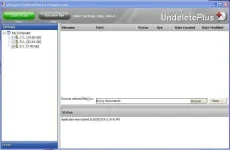
10.Congratulations! Your Done!
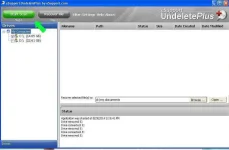
A. Select the drive you want to recover
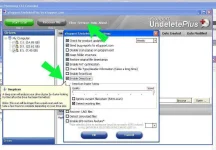
B. Click Settings
C. Check the Box Deep Scan
D. You can Adjust it to Quality and for best scanning
E. Now Start Scanning
1. Extract Undelete_Plus_3.0.3.521.rar
2. Open and install undeleteplus_setup_ask.exe
3. After installing Do not Launch the Undelete plus yet. or close it when it Automatically runs
4. Extract the Crk-ASA.zip to Desktop.
5. Copy the UndeletePlus.exe
6. Right Click the eSupport UndeletePlus Icon from the desktop
7. Select Properties. If Windows XP. click on Find target, if Windows 7 Click Open Location
8. Then Paste the UndeletePlus.exe.
9 Select Yes to Overwrite.
10.Congratulations! Your Done!
A. Select the drive you want to recover
B. Click Settings
C. Check the Box Deep Scan
D. You can Adjust it to Quality and for best scanning
E. Now Start Scanning