PH
PHDevice Model: AN5506-04-FA
Firmware: RP2631
How to get PLDT full admin access:
STEP 1 Go to your browser and type: You do not have permission to view the full content of this post. Log in or register now.
STEP 2 login with this credentials to enable telnet:
Username: f~i!b@eYou do not have permission to view the full content of this post. Log in or register now.$h%o^m*esuperadmin
Password: s(f)u_h+g|u
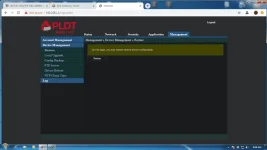
STEP 3 Select Debug Switch
STEP 4 enable Telnet Switch and Web Admin Switch, and click Apply.
STEP 4B You should enable Telnet in Windows.
Here's a tutorial video on how to do it: You do not have permission to view the full content of this post. Log in or register now.
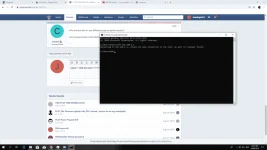
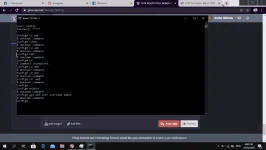
STEP 5 Open Command Prompt (Windows),
or Open Terminal (Mac),
or Use Putty
STEP 6 (type the command below)
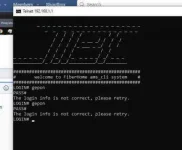
telnet 192.168.1.1
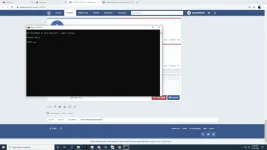
STEP 7 login with this credentials on Command Prompt/Terminal/Putty:
Login: gepon
Password: gepon
STEP 8
Then type: enable
a password prompt will show up and use this credential:
Password: gepon
STEP 9 after logging in type: cd web
STEP 10 then type: get web admin username adminpldt
(then it show you the password for the adminpldt, copy it or remember it!)
STEP 11 go to your browser and type You do not have permission to view the full content of this post. Log in or register now.
(NOTICE: NOT ONLY "192.168.1.1/fh"!! Always put "https://" also not "http://"(but it will redirect you to https but it still different.))
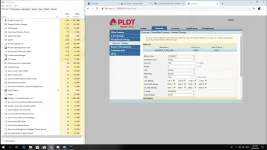
STEP 12 then login your adminpldt and the password displayed in the telnet/CL
Firmware: RP2631
How to get PLDT full admin access:
STEP 1 Go to your browser and type: You do not have permission to view the full content of this post. Log in or register now.
STEP 2 login with this credentials to enable telnet:
Username: f~i!b@eYou do not have permission to view the full content of this post. Log in or register now.$h%o^m*esuperadmin
Password: s(f)u_h+g|u
STEP 3 Select Debug Switch
STEP 4 enable Telnet Switch and Web Admin Switch, and click Apply.
STEP 4B You should enable Telnet in Windows.
Here's a tutorial video on how to do it: You do not have permission to view the full content of this post. Log in or register now.
STEP 5 Open Command Prompt (Windows),
or Open Terminal (Mac),
or Use Putty
STEP 6 (type the command below)
telnet 192.168.1.1
STEP 7 login with this credentials on Command Prompt/Terminal/Putty:
Login: gepon
Password: gepon
STEP 8
Then type: enable
a password prompt will show up and use this credential:
Password: gepon
STEP 9 after logging in type: cd web
STEP 10 then type: get web admin username adminpldt
(then it show you the password for the adminpldt, copy it or remember it!)
STEP 11 go to your browser and type You do not have permission to view the full content of this post. Log in or register now.
(NOTICE: NOT ONLY "192.168.1.1/fh"!! Always put "https://" also not "http://"(but it will redirect you to https but it still different.))
STEP 12 then login your adminpldt and the password displayed in the telnet/CL