acervergel87
Forum Guru
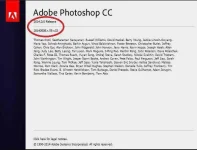
The 2014 releases of Photoshop CC roll out several new features and enhancements that enrich your digital imaging experience. Read on for a quick introduction to new features and links to resources offering more information.
You do not have permission to view the full content of this post. Log in or register now.
Note: For a summary of new features introduced in earlier releases of Photoshop CC, see You do not have permission to view the full content of this post. Log in or register now..
1. Close your internet connection. IMPORTANT
2. Install application "AdobePhotoshop2014-32/64bit" (With admin rights on your system.)
3. Choose TRY install.
* Check the pictures in "Install pictures" folder.
4. Select your language. (You can not change it after installation)
5. Open the application as trial and select "Continue trial" and close.
** IMPORTANT : If you miss this step you will not have 3D option
*** Application may close suddenly - do not worry and continue.
6. Copy "amtlib.dll" from "crack" folder and paste it in to installation
folder by overwriting (replacing). It is generally ;
C:\Program Files\Adobe\Adobe Photoshop CC 2014 (64 Bit)
- OR -
C:\Program Files (x86)\Adobe\Adobe Photoshop CC 2014 (32 Bit)
7. IMPORTANT, use your firewall to stop internet connection of
application and uncheck automatic updates. Don't update it.
You do not have permission to view the full content of this post. Log in or register now.
Note: For a summary of new features introduced in earlier releases of Photoshop CC, see You do not have permission to view the full content of this post. Log in or register now..
1. Close your internet connection. IMPORTANT
2. Install application "AdobePhotoshop2014-32/64bit" (With admin rights on your system.)
3. Choose TRY install.
* Check the pictures in "Install pictures" folder.
4. Select your language. (You can not change it after installation)
5. Open the application as trial and select "Continue trial" and close.
** IMPORTANT : If you miss this step you will not have 3D option
*** Application may close suddenly - do not worry and continue.
6. Copy "amtlib.dll" from "crack" folder and paste it in to installation
folder by overwriting (replacing). It is generally ;
C:\Program Files\Adobe\Adobe Photoshop CC 2014 (64 Bit)
- OR -
C:\Program Files (x86)\Adobe\Adobe Photoshop CC 2014 (32 Bit)
7. IMPORTANT, use your firewall to stop internet connection of
application and uncheck automatic updates. Don't update it.

(Y)