PH
PHsputniks025
Fanatic
What is NetLimiter?
NetLimiter is an ultimate internet traffic control and monitoring tool designed for Windows. You can use NetLimiter to set download/upload transfer rate limits for applications or even single connection and monitor their internet traffic.
Along with this unique feature, Netlimiter offers comprehensive set of internet statistical tools. It includes real-time traffic measurement and long-term per-application internet traffic statistics.
Features
List of all NetLimiter 4 features
Full traffic control
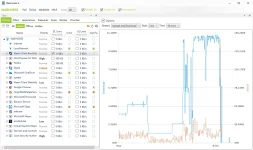
Set exact download/upload speed limits to any application or give them higher priority to ensure that they always get enough bandwidth they need.
You do not have permission to view the full content of this post. Log in or register now.
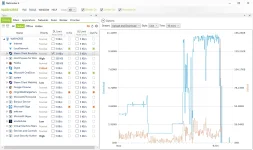
Internet traffic monitoring
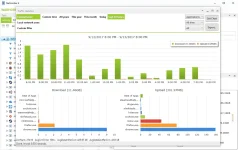
You will not miss a single application connecting to the internet. You will also monitor how much data it transfers from or to internet. All also displayed in customizable charts.
You do not have permission to view the full content of this post. Log in or register now.
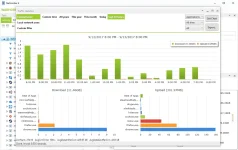
Connection blocker
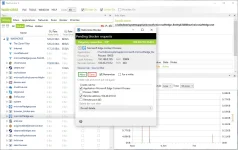
Using this simple and also interactive system of rules you will be allowed to specify which applications can connect to internet and under which conditions.
You do not have permission to view the full content of this post. Log in or register now.
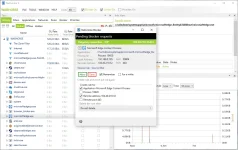
Quotas
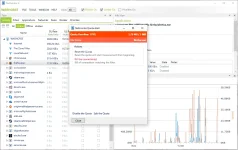
Lets you set data transfer quotas for selected application/filter. If the quota is reached - limit, blocker rule or other rules could be enabled.
You do not have permission to view the full content of this post. Log in or register now.
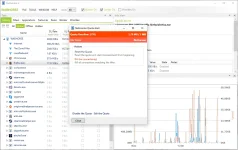
Download Link Below:
You do not have permission to view the full content of this post. Log in or register now.
NetLimiter is an ultimate internet traffic control and monitoring tool designed for Windows. You can use NetLimiter to set download/upload transfer rate limits for applications or even single connection and monitor their internet traffic.
Along with this unique feature, Netlimiter offers comprehensive set of internet statistical tools. It includes real-time traffic measurement and long-term per-application internet traffic statistics.
Features
List of all NetLimiter 4 features
Full traffic control
Set exact download/upload speed limits to any application or give them higher priority to ensure that they always get enough bandwidth they need.
You do not have permission to view the full content of this post. Log in or register now.
Internet traffic monitoring
You will not miss a single application connecting to the internet. You will also monitor how much data it transfers from or to internet. All also displayed in customizable charts.
You do not have permission to view the full content of this post. Log in or register now.
Connection blocker
Using this simple and also interactive system of rules you will be allowed to specify which applications can connect to internet and under which conditions.
You do not have permission to view the full content of this post. Log in or register now.
Quotas
Lets you set data transfer quotas for selected application/filter. If the quota is reached - limit, blocker rule or other rules could be enabled.
You do not have permission to view the full content of this post. Log in or register now.
Download Link Below:
You do not have permission to view the full content of this post. Log in or register now.