 PH
PH
If you have a old computer then Windows Xp is best for use. So, you need to make a bootable pendrive or CD to install windows xp. Better is to make bootable pendrive. Its easy to use and after installation you can remove it from pendrive and use that normally. If you like our work then like us on facebook for more.
Note: You have to Download Windows XP - .iso file first from Internet.
How To Make Bootable Windows XP USB:
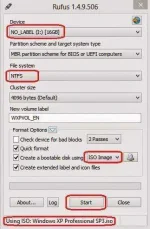
1. First open - Rufus
If you don't have that software then Download it from - You do not have permission to view the full content of this post. Log in or register now.
2. Then choose the appropriate drive under the “Device” menu and make sure that the file system is NTFS (not FAT32).
3. Now select you windows XP .iso file by click on - CD image Icon beside ISO Image.
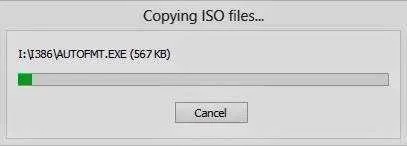
4. Wait few minutes for all process done.
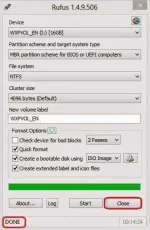
5. After Done all this thing close Rufus and you have ready your Bootable Pendrive.
JUST FEEDBACK
 .
.

