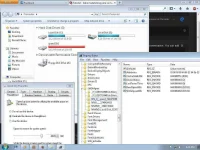
Using ReadyBoost-capable flash memory (
You do not have permission to view the full content of this post.
Log in or register now. devices) for caching allows
You do not have permission to view the full content of this post.
Log in or register now. and later to service random disk reads with better performance than without the cache. This caching applies to all disk content, not just the page file or system DLLs. Flash devices typically are slower than a mechanical hard disk for sequential I/O, so, to maximize performance, ReadyBoost includes logic that recognizes large, sequential read requests and has the hard disk service these requests.
You do not have permission to view the full content of this post.
Log in or register now.
When a compatible device is plugged in, the Windows
You do not have permission to view the full content of this post.
Log in or register now. dialog offers an additional option to use the flash drive to speed up the system; an additional "ReadyBoost" tab is added to the drive's properties dialog where the amount of space to be used can be configured.
You do not have permission to view the full content of this post.
Log in or register now. The minimum cache size is 250 MB. In Vista or with FAT32 formatting of the drive, the maximum is 4 GB. In Windows 7 with NTFS or exFAT formatting, the maximum cache size is 32 GB per device. Windows Vista allows only one device to be used, while Windows 7 allows multiple caches, one per device, up to a total of 256 GB.
You do not have permission to view the full content of this post.
Log in or register now.
ReadyBoost compresses and encrypts, with
You do not have permission to view the full content of this post.
Log in or register now., all data that is placed on the flash device; Microsoft has stated that a 2:1 compression ratio is typical, so a 4 GB cache would usually contain 8 GB of data.
You do not have permission to view the full content of this post.
Log in or register now.
ReadyBoost is for speed. Hard drive already has "virtual memory" which is slow. ReadyBoost will not make data transfer from the hard drive any faster. Reason there is ReadyBoost is so you don't have to access the hard drive's virtual ram when you have inadequate ram installed. You need high speed USB 2.0 pendrives for ReadyBoost. Some pendrives, althou still a lot faster than a hard drive, aren't fast enough for ready-boost so should only use "ready-boost certified" USB 2.0 pen drives.
 PH
PH nasa attachment)
 Sana po may screenshots.