 PH
PHBenefits:
How to do it?
First, search and install this Add-on, Modify Headers

or go to their website -> You do not have permission to view the full content of this post. Log in or register now.
or go to the add-on's page -> You do not have permission to view the full content of this post. Log in or register now.
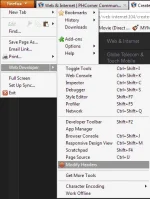
Second, open it
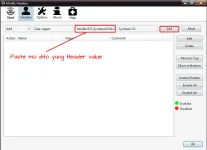
Third, copy this Header Value
Fourth, configure it.
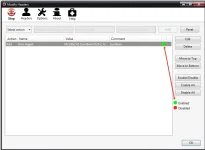
Fifth, Click Start!
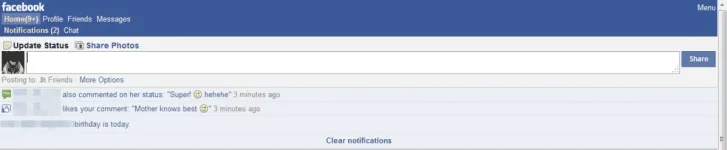
Lastly, browse ka na
More Headers below Download nyo lang ang attachments
Sana nakatulong tong matagal ko nang trick (sa mga kalokohan ko lang to ginagamit)
- Fast browsing
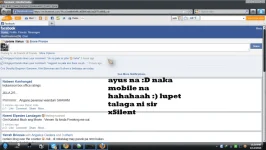
- Naka mobile ka sa chat ng Friends mo sa Facebook kahit hindi naman

- Nakaka access sa mga pangmobile na sites

- Can be modified. Depende sa gusto nyong taste Just download the attachment below sa mga list ng mga devices na pwede nyong gamitin to modify your header
- Like Android, iOS, Chrome, Opera, Opera mini, and many more
How to do it?
First, search and install this Add-on, Modify Headers
or go to their website -> You do not have permission to view the full content of this post. Log in or register now.
or go to the add-on's page -> You do not have permission to view the full content of this post. Log in or register now.
Second, open it
Third, copy this Header Value
Code:
Mozilla/5.0 (SymbianOS/9.2; U; Series60/3.1 NokiaE51-1/100.34.20; Profile/MIDP-2.0 Configuration/CLDC-1.1 ) AppleWebKit/413 (KHTML, like Gecko) Safari/413Fourth, configure it.
Fifth, Click Start!
Lastly, browse ka na
More Headers below
Download nyo lang ang attachments Sana nakatulong tong matagal ko nang trick (sa mga kalokohan ko lang to ginagamit
)At sana ngayon, sa kabutihan nyo gamitin nyahaha


 haha
haha