PH
PHjamesiswizard_1
Elite
M
Mabilis na nga yan Sir tingnan mo ung sakin nakakaiyak
bagal nga nyan.,na try mo na yung Ipv^6 ko.,?
M
Mabilis na nga yan Sir tingnan mo ung sakin nakakaiyak
Natry ko boss gumamit ako ng Old Modem ng Brodband para makagawa ng New connection pra sa Connector pero wala pa din .. ginawa ko na ung ipv6 trick na nakalagay sa 1st page sa regedit pinalitan ko na ng value ng 1 den enable ipv6 pero wala pa din di ko lang alam kung my di ako nagawa .. pati yung CMD commands ginawa ko na din e hehe
bagal nga nyan.,na try mo na yung Ipv^6 ko.,?
Windows 8 gamit ko boss kea automatic naka enable na ipv6 sa connection ko diba ?Natry ko boss gumamit ako ng Old Modem ng Brodband para makagawa ng New connection pra sa Connector pero wala pa din .. ginawa ko na ung ipv6 trick na nakalagay sa 1st page sa regedit pinalitan ko na ng value ng 1 den enable ipv6 pero wala pa din di ko lang alam kung my di ako nagawa .. pati yung CMD commands ginawa ko na din e hehe
Natry ko boss gumamit ako ng Old Modem ng Brodband para makagawa ng New connection pra sa Connector pero wala pa din .. ginawa ko na ung ipv6 trick na nakalagay sa 1st page sa regedit pinalitan ko na ng value ng 1 den enable ipv6 pero wala pa din di ko lang alam kung my di ako nagawa .. pati yung CMD commands ginawa ko na din e hehe
tama ka enable pero di pa sya set as default.,na type mo na ba yung sa CMD.,?Windows 8 gamit ko boss kea automatic naka enable na ipv6 sa connection ko diba ?
Paanu na sya iset as Default boss ? ngayon kasi pag inienabled ko ung ipv6 tapus pag restart ko nauunchecked sya siguro kelngan ko ulitin ung CMD commands for ipv6 ? di ko alam bat nagkaganun ok naman na to dati ..Chrome gamit kong Browser pag pumupunta ko sa chrome://net-internals/dns#dns ang nakalagay saknea is Default address family: UNSPECIFIED ? It means Ok na sya diba ?tama ka enable pero di pa sya set as default.,na type mo na ba yung sa CMD.,?
kung ganun pa rin ibang signal yung area nyo.,
Parang ganito.,sa Cavite kahit full bar yung signal pero slow net pa rin sila.,
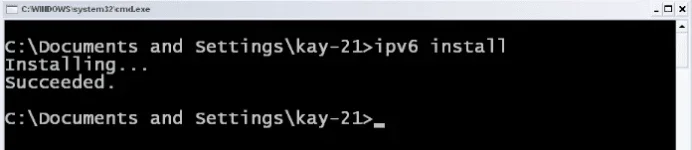
yung CMD sa first page yung may set as default.,Paanu na sya iset as Default boss ? ngayon kasi pag inienabled ko ung ipv6 tapus pag restart ko nauunchecked sya siguro kelngan ko ulitin ung CMD commands for ipv6 ? di ko alam bat nagkaganun ok naman na to dati ..Chrome gamit kong Browser pag pumupunta ko sa chrome://net-internals/dns#dns ang nakalagay saknea is Default address family: UNSPECIFIED ? It means Ok na sya diba ?

 )
)
How To USe jamesiswizard_1 IPv^8 5G connector In Cproxyjamesiswizard_1
is the real one!
(I want to share my experienced lang PO)
Lagi ko gamit yung ipv8 connector, lalo na kung naka legit connection ako,
need ko yun para sa online game na hindi ko pede gamitan ng cproxy or vpn,
dumedepende kasi sa ping yung game kaya kung naka vpn ako iba na type na connection ko nun
hindi na fit sa game na nilalaro ko,
kaya legit muna pag online game
sabayan pa ng
TUT from sir james = hassle free

feedback ko lang:
delete ko lahat ng bb connection sa network and sharing center
now pumapalo na sa 900kbps browsing ko gamit connector ni sir jamesiswizard
cproxy portable-trial account-coolhousing.net server
Ayos!
EDIT:streaming status
360.92kbps pero walang putol kay y0utub3 kahit nagda dropdown sa 158kbps.
haha,tomorow na lang fb ko sa dl,manonood si kumander
View attachment 12745palitan mo po ng o yung dalawang 0 sa word na d0wnl0ad..
View attachment 12887View attachment 12744anu nangyari sa cproxy ko biglang bumilis ah
jamesiswizard_1 Fire Fox BrowserSira CPROXY dito sa sim ko, ewan ko kung sa server talaga or sa accounts (expired accounts kahit 2 days palang)
So nag PDPROXY muna ako
PDPROXY VPN+IPv6 = F A S T
View attachment 12887


hi sir james,may trick na ba tong firefox mu"Haters Make Me Famous"
You do not have permission to view the full content of this post. Log in or register now.
(Click Me)
View attachment 12238
View attachment 12545
jamesiswizard_1 IPv^6 Tutorial and Tricks Updates + Ipv^6 Cproxy
(From Pinag Sama Samang Kalaalaman Ng PhCorner Member)
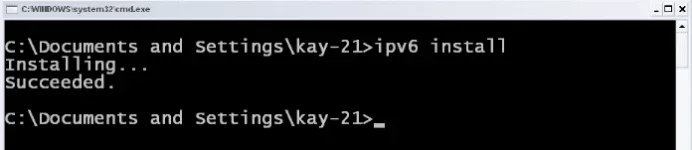
Enabled IPv^6 in CMD XP
(note: IPv^6 Is Already Enabled in Windows Vista, 7, 8 to 8.1)
Setting IPv^6 As Priority IP's in CMD Windows XP, Vista, 7, 8 to 8.1
Run Administrator in CMD then type "netsh interface ipv6 set teredo client " Without Quetation
Hi!
(TUTORIAL from Michael092)
Problem mo is
walang yung ipv6 address mo!
Ito po ang reason kung bakit wala (my own conclusion)

Una po make sure na lahat ng step ay nagawa mo ng tama
yung nasa 1st page po!
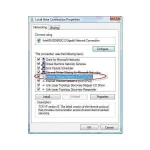
Then Nakacheck yung ipv6 sa status ng connection mo
Ito po ang reason (my own conclusion
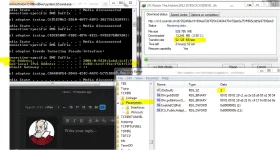
Kung mapapansin mo may teredo kana sa ipconfig
Lumalabas lang ang ipv6 address "KUNG"
Una
Naka legit connection, vpn at kahit anong FBT na pag ikaw ay nag type ng ping google.com -t sa cmd
ay nag rereply sa ip address, (hindi yung ip na 127.0.0.1)
Pansinin naten kung naka vpn ka pag nagping ang reply ay yung galing sa ip nagbibigay sayu ng internet connection
ganun din po sa legit connection
Ikalawa, kung naka cproxy ka kung mag type ka sa cmd ng ping google.com -t
ito po ang lalabas
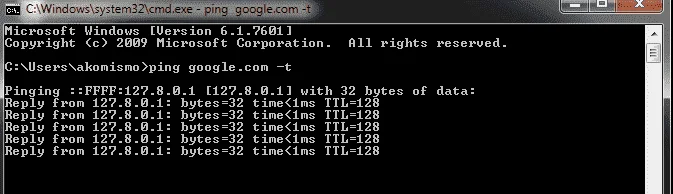
ito naman ang ipconfig/all ko when using cproxy
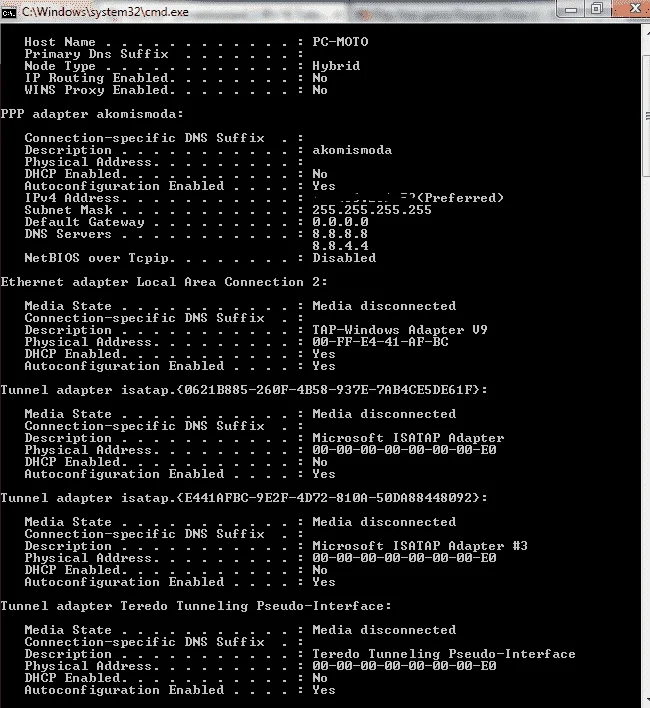
Pansin mo ?View attachment 12619
Wala rin yung ipv6 address
Kasi po lumalabas lang yung ipv6 address kung ang ping google.com -t sa cmd
ay yung galing sa ip address na hindi nag sisimula kay 127.0.0.1
Pero kahit po disconnected yan ok na po yan
kita mo naman yung ping google.com -t ko
start sa ganito
kasi po naka ipv6
REgedit
View attachment 12620
How To USe jamesiswizard_1 IPv^8 5G connector In Cproxy
(Tutorial FroM Fenrir)
gawa ka po connection sa dashbord mo
profile name: jamesiswizard_1 IPv6 Dial up
number: *99#
apn: internet
connect mo muna sa dashborad para ma create ung connection tapos disconnect mo ulit
then gamitin mu na po ung connector ni sir james..magaamit mo na po cproxy
View attachment 12576 View attachment 12577
napansin ko po na pag walang dns walang ping pag may dns may ping
(Mas Maganda Wag Nyo Lagyan ng DNS)
Feedback ko lang:
(From vinocz)
delete ko lahat ng broaband connection sa network and sharing center
now pumapalo na sa 900kbps browsing ko gamit connector ni sir jamesiswizard
cproxy portable-trial account-coolhousing.net server
Ayos!
Ipv^6 Browser Tricks
ENABLE NYO LANG YUNG IPv^6
Sa Mga New Browser or Updated na Browser Ka Default na Yung iPv^6 ka No need Na i Configure
SonicProxy
(Password: jamesiswizard_1)
Procedure:
Run this After IPv^6 Tricks and Cproxy Is Connected And Browsing
Purpose:
Exceed The Limit Of Internet Speed
You do not have permission to view the full content of this post. Log in or register now.
View attachment 12745
View attachment 12744
View attachment 12887
jamesiswizard_1 Fire Fox Browser
(Use This Instead Of Other Browser)
You do not have permission to view the full content of this post. Log in or register now.
bossing,ask lang po.hehesame as cproxy lang.,isasabay mo lang
hi sir james,may trick na ba tong firefox mu
naka ayos na yan.,moddedbossing,ask lang po.hehe
ipv6 set as default na po ba pag ganito:
bale kanina lang ako naglagay ng "1" sa folder ng TCPIP6 at parameters,.tama po ba magedit kahit win7 os ko para ma set as default si ipv6?naka ayos na yan.,modded
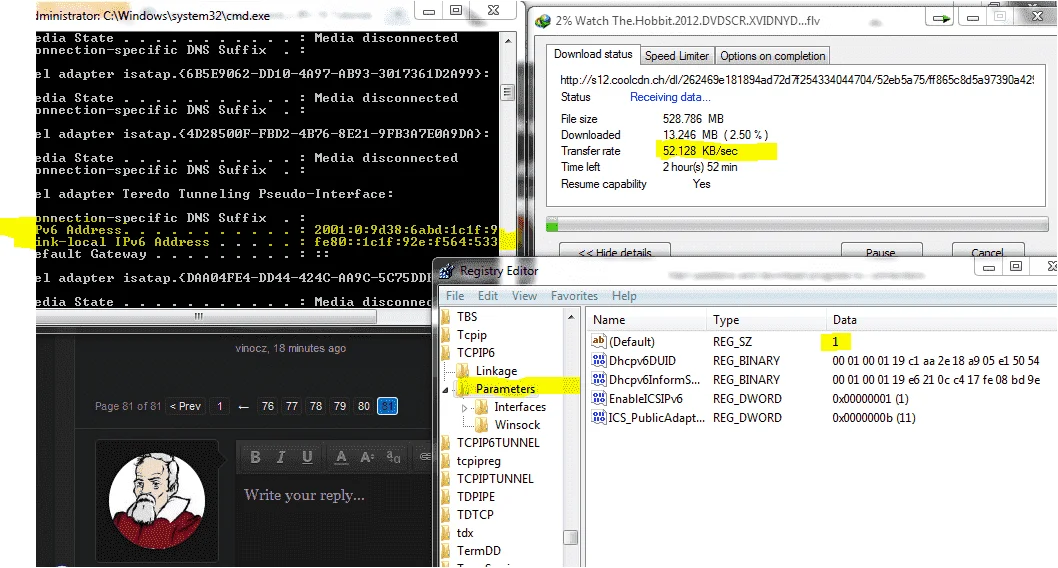
pa try .,then feed back
tama yan.,try mo mag restsartbale kanina lang ako naglagay ng "1" sa folder ng TCPIP6 at parameters,.tama po ba magedit kahit win7 os ko para ma set as default si ipv6?
ayos na sir jamestama yan.,try mo mag restsart


screen shot naman.,ayos na sir james
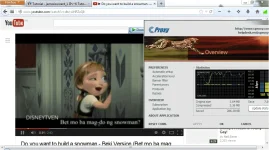
more stable sa streaming,bilis ng buffering
panu ma dl yung firefox mu,invalid url daw.
naghahang kasi tong firefox ko kaya medyo affected yung loading.
ayos na.,pa try na.,ayos na sir james
more stable sa streaming,bilis ng buffering
panu ma dl yung firefox mu,invalid url daw.
naghahang kasi tong firefox ko kaya medyo affected yung loading.
eto sir oh.hehe trial lang yan ni cproxy gamit ko,old version pascreen shot naman.,
sige ayusin ko.,
what if pala pag legit na gamit koeto sir oh.hehe trial lang yan ni cproxy gamit ko,old version pa
usually,na aachieve ko lang ang ganyang buffering kapag midnight o madaling araw.
ok sir,fb ako later,need ko na magtime in,araro na naman:banghead:ayos na.,pa try na.,
welocme.,ok sir,fb ako later,need ko na magtime in,araro na naman:banghead:
thank you very much sir james & PHC.
GODBLESS PO!