OUPENG BROWSER 6.7 MGC Mod Can Download big files for s60v3 and v5

Status
Not open for further replies.

Gonzalo Monteza

Enthusiast


DOWNLOAD Here: You do not have permission to view the full content of this post. Log in or register now.

Update: 1
1381188_174480396088102_1310224118_n.jpg


UPDATE 2: OUPENG can download Upto 560Mb, Trick: Kung ayaw mag start ng download, minimize mo lang ang OB then Connect mu ulit Browse ka ng Isang Page, pag nagconnect na Restart Mo na yung Download mo, Thats all I hope it will Work on You,
1376587_174588632743945_1759751983_n.jpg
 
panu po mag h@ck? 5250 boss s60v5
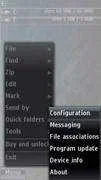
1. Install X-Plore to the phone memory. It's a powerful file manager which has some great features like music player, .ZIP, .RAR archiver, video player, notepad, etc. Despite being trial, there no feature limitations in the application Start the application.
Press Menu -> Tools ->

Configuration.
01_X_Plore.webp

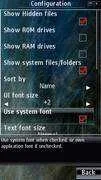
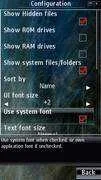
Tick ''Show Hidden Files'' and ''Show System Files/Folders''.
02_Configure_X_Plore.webp

2. Now install Symantec Symbian häçk to the phone memory.
03_Install_Norton_häçk.webp

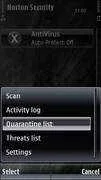
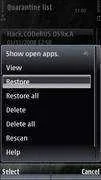
After installation is finished, launch Norton Security, tap on AntiVirus -> Quarantine list
04_Open_Quarantine_List.webp

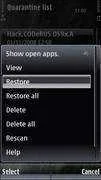
Restore the quarantine.
05_Restore_Quarantine.webp

Now you can uninstall Norton. Navigate to Application Manager and remove Symantec Symbian häçk and confirm it.
06_Delete_Symantec_Symbian_häçk_From_App_Mgr.webp

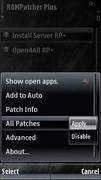
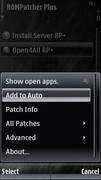
3. Now the next step is to install RomPatcherPlus v3.1 to the phone memory. After installation, start the application and press Options -> All Patches -> Apply. Set them autostart by pressing
Add to Auto
07_Activate_The_Patches.webp

08_Set_Patches_Autostart.webp

Note: Don't uninstall RomPatcher!
4. Now we're in the last step. To completely eliminate ''certificate error'' pop-ups, we need to
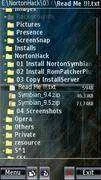
copy installserver.exe to C:/Sys/Bin. Bring X-Plore to foreground. Important: Make certain you've picked the right file, see Readme note first. If you copy a wrong file, you'll get ''File Corrupted'' message while installing applications. In this case, just delete installserver and try another one.
09_Know_Your_OS.webp

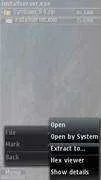
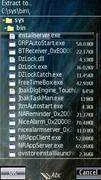
Now select the file and press Menu -> File -> Extract to... navigate to C:/Sys/Bin directory and
10_Extract_Installserver.webp

Press OK!
11_Extract_Installserver_to_C_Sys_Bin.webp

CONGRATULATIONS!
You have successfully häçked your phone. Now you can install anything you have downloaded from the web!
DOWNLOAD

You do not have permission to view the full content of this post. Log in or register now.
 
Status
Not open for further replies.

About this Thread

  • 8
    Replies
  • 7K
    Views
  • 2
    Participants
Last reply from:
Gonzalo Monteza

Trending Topics

Online now

Members online
767
Guests online
1,039
Total visitors
1,806

Forum statistics

Threads
2,271,684
Posts
28,937,308
Members
1,238,781
Latest member
alleysid
Back
Top