 PH
PHSorry sir dahil SA kagustuhan ko pagana panag experimentuhan at un brick na...pm me about your netgear router model and version number
-
Welcome to PHCorner Forums! Sign up for free to unlock full access and exclusive privileges, including:
- Asking questions about computer and mobile issues
- Discovering internet tips for your mobile network and computer
You are using an out of date browser. It may not display this or other websites correctly.
You should upgrade or use an alternative browser.
You should upgrade or use an alternative browser.
Cfw openwrt request_releases:(openvpn for 4mb routers)
- Thread starter linux_noob
- Start date
- Status
- Not open for further replies.
Sorry sir dahil SA kagustuhan ko pagana panag experimentuhan at un brick na...
anung lumalabas nag iindex ba?
Wala na sir d na ko makapasok SA 192.168.1.1anung lumalabas nag iindex ba?
Attachments


linux_noob
Forum Veteran
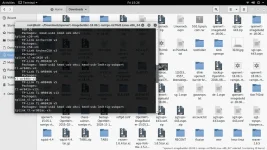
Wala na sir d na ko makapasok SA 192.168.1.1
ping mo yung 192.168.1.1 kung nag reply ba
wala na sir nag manual input na rin ako sa ip nya wala tlaga un binalik ko na stock room namin. pero nag avail nag order po ako sa lazada ng bago tp link wr-940n v6 sir karamihan kc dto ganto kc sa pag rereview ko sa previos pagesping mo yung 192.168.1.1 kung nag reply ba
linux_noob
Forum Veteran
wala na sir nag manual input na rin ako sa ip nya wala tlaga un binalik ko na stock room namin. pero nag avail nag order po ako sa lazada ng bago tp link wr-940n v6 sir karamihan kc dto ganto kc sa pag rereview ko sa previos pages
ayos yan sir fully supported po yang wr940nv6. marami ngang users dito gumagamit nyan


linux_noob
Forum Veteran
dun sa mga sa nakaka-limutan kong cfws, post here. sabog na sabog na inbox ko. hirap na kong mag-track ng request nyo. himayin natin ng isa isa yan.
Kung sakaling may mag-ppm sa akin PLEASE LANG gawin nyong title yung ROUTER model and Version number nyo para bawas halukay ube sa mga thread request.
Thanks
Kung sakaling may mag-ppm sa akin PLEASE LANG gawin nyong title yung ROUTER model and Version number nyo para bawas halukay ube sa mga thread request.
Thanks
Sana sir pagbigyan nio na ako pag dumating un. Willing to pay ako sir through load kng pwede.ayos yan sir fully supported po yang wr940nv6. marami ngang users dito gumagamit nyan
linux_noob
Forum Veteran
Sana sir pagbigyan nio na ako pag dumating un. Willing to pay ako sir through load kng pwede.
oo naman andito nasa laptop ko yung cfws nyan. i-aadvance ko na yung cfw mo. check your PM
slamat sir thank you thank you... promise is promise antayin nlng sir kung maippm mo ung hinihingi ko sau...oo naman andito nasa laptop ko yung cfws nyan. i-aadvance ko na yung cfw mo. check your PM
try mo flash using tftpd download mo muna ung bin file sa mismong website ng router modem moWala na sir d na ko makapasok SA 192.168.1.1
dapat alam mo version sakto dapat
linux_noob
Forum Veteran
UPDATE NOTICE:
i notice that installing luci webgui from
vpn menu then accessing nogui quick settings will result to
internet connection because when we access vpn menu
it automatically close vpn connection running on background.
to avoid this error
if you are already connected to vpn and you want to install luci webgui
you can try this command
nogui
to access nogui menu directly then install from choices there
or directly install luci web gui by this typing command
luciwebgui
i will update a cfw build to fix this. i will remove nogui quick menu link
on vpn menu. just memorize it guys.
Shortcut Commands:
vpn - shows vpn servers to connect
nogui - show other setting related to wifi, root pass, luci installation etc.
luciwebgui - direct command for luciwebgui install setup
i notice that installing luci webgui from
vpn menu then accessing nogui quick settings will result to
internet connection because when we access vpn menu
it automatically close vpn connection running on background.
to avoid this error
if you are already connected to vpn and you want to install luci webgui
you can try this command
nogui
to access nogui menu directly then install from choices there
or directly install luci web gui by this typing command
luciwebgui
i will update a cfw build to fix this. i will remove nogui quick menu link
on vpn menu. just memorize it guys.
Shortcut Commands:
vpn - shows vpn servers to connect
nogui - show other setting related to wifi, root pass, luci installation etc.
luciwebgui - direct command for luciwebgui install setup
AquaYousoft
Fanatic
UPDATE NOTICE:
i notice that installing luci webgui from
vpn menu then accessing nogui quick settings will result to
internet connection because when we access vpn menu
it automatically close vpn connection running on background.
to avoid this error
if you are already connected to vpn and you want to install luci webgui
you can try this command
nogui
to access nogui menu directly then install from choices there
or directly install luci web gui by this typing command
luciwebgui
i will update a cfw build to fix this. i will remove nogui quick menu link
on vpn menu. just memorize it guys.
Shortcut Commands:
vpn - shows vpn servers to connect
nogui - show other setting related to wifi, root pass, luci installation etc.
luciwebgui - direct command for luciwebgui install setup
Boss Linux yung CFW ko po for GL AR150 po salamat po.UPDATE NOTICE:
i notice that installing luci webgui from
vpn menu then accessing nogui quick settings will result to
internet connection because when we access vpn menu
it automatically close vpn connection running on background.
to avoid this error
if you are already connected to vpn and you want to install luci webgui
you can try this command
nogui
to access nogui menu directly then install from choices there
or directly install luci web gui by this typing command
luciwebgui
i will update a cfw build to fix this. i will remove nogui quick menu link
on vpn menu. just memorize it guys.
Shortcut Commands:
vpn - shows vpn servers to connect
nogui - show other setting related to wifi, root pass, luci installation etc.
luciwebgui - direct command for luciwebgui install setup
linux_noob
Forum Veteran
Boss Linux yung CFW ko po for GL AR150 po salamat po.
ok. sabi ko nga may nakakalimutan pa ako. gawin ko na ngayon. sensya na po talaga
linux_noob
Forum Veteran
CFW RELEASE - FEB 1, 2019 UPDATED!!!
- defaults -
user: root
password: root
wifi password: linuxnoob
-----------------------------------------------------------------------------------------------------------------------------------------
PM for CFW Links
TpLink WR940N V6 EU
TpLink Archer C20 v1 melvin214
TpLink WR840N v5 capetag pacman2929
Mikrotik 450G PHC-Phats
GL.inet AR150 AquaYousoft
TpLink WR740N v4 rexelens
Dlink dir600 b1/b2 / Dlink dir300 b1 jhefreylle
TpLink WR840N V2 EU
TpLink WA801N V2 Zalds88
PLEASE don't share this CFWs to Cancer Resellers!!!
------------------------------------------------------------------------------------------------------------------------------------------
note: sa unang boot after firmware upgrade, kapag 3-5 mins di pa lumalabas yung wifi, i-ooff then ON nyo lang router nyo.
putty terminal settings
ip address: 192.168.1.1
user: root
password: root
pagka-pasok nyo sa ssh terminal
type
vpn
konek lang kayo sa sponsor server 3 or number 4
di ko pa mapagana yung mytunelling at goodssh
will update this post sa mga susunod pang router model
UPDATE NOTICE:
i notice that installing luci webgui from
vpn menu then accessing nogui quick settings will result to
internet connection because when we access vpn menu
it automatically close vpn connection running on background.
to avoid this error
if you are already connected to vpn and you want to install luci webgui
you can try this command
nogui
to access nogui menu directly then install from choice there
or directly install luci web gui by this command
luciwebgui
i will update a cfw build to fix this. i will remove nogui quick menu link
on vpn menu. just memorize it guys.
Shortcut Commands:
vpn - shows vpn servers to connect
nogui - show other setting related to wifi, root pass, luci installation etc.
- defaults -
user: root
password: root
wifi password: linuxnoob
-----------------------------------------------------------------------------------------------------------------------------------------
PM for CFW Links
TpLink WR940N V6 EU
TpLink Archer C20 v1 melvin214
TpLink WR840N v5 capetag pacman2929
Mikrotik 450G PHC-Phats
GL.inet AR150 AquaYousoft
TpLink WR740N v4 rexelens
Dlink dir600 b1/b2 / Dlink dir300 b1 jhefreylle
TpLink WR840N V2 EU
TpLink WA801N V2 Zalds88
PLEASE don't share this CFWs to Cancer Resellers!!!
------------------------------------------------------------------------------------------------------------------------------------------
note: sa unang boot after firmware upgrade, kapag 3-5 mins di pa lumalabas yung wifi, i-ooff then ON nyo lang router nyo.
putty terminal settings
ip address: 192.168.1.1
user: root
password: root
pagka-pasok nyo sa ssh terminal
type
vpn
konek lang kayo sa sponsor server 3 or number 4
di ko pa mapagana yung mytunelling at goodssh
will update this post sa mga susunod pang router model
UPDATE NOTICE:
i notice that installing luci webgui from
vpn menu then accessing nogui quick settings will result to
internet connection because when we access vpn menu
it automatically close vpn connection running on background.
to avoid this error
if you are already connected to vpn and you want to install luci webgui
you can try this command
nogui
to access nogui menu directly then install from choice there
or directly install luci web gui by this command
luciwebgui
i will update a cfw build to fix this. i will remove nogui quick menu link
on vpn menu. just memorize it guys.
Shortcut Commands:
vpn - shows vpn servers to connect
nogui - show other setting related to wifi, root pass, luci installation etc.
CFW RELEASE - FEB 1, 2019
- defaults -
user: root
password: root
wifi password: linuxnoob
-----------------------------------------------------------------------------------------------------------------------------------------
PM for CFW Links
TpLink WR940N V6 EU
TpLink Archer C20 v1 melvin214
TpLink WR840N v5 capetag pacman2929
Mikrotik 450G PHC-Phats
GL.inet AR150 AquaYousoft
TpLink WR740N v4 rexelens
Dlink dir600 b1/b2 / Dlink dir300 b1 jhefreylle
PLEASE don't share this CFWs to Cancer Resellers!!!
------------------------------------------------------------------------------------------------------------------------------------------
note: sa unang boot after firmware upgrade, kapag 3-5 mins di pa lumalabas yung wifi, i-ooff then ON nyo lang router nyo.
putty terminal settings
ip address: 192.168.1.1
user: root
password: root
pagka-pasok nyo sa ssh terminal
type
vpn
konek lang kayo sa sponsor server 3 or number 4
di ko pa mapagana yung mytunelling at goodssh
will update this post sa mga susunod pang router model
UPDATE NOTICE:
i notice that installing luci webgui from
vpn menu then accessing nogui quick settings will result to
internet connection because when we access vpn menu
it automatically close vpn connection running on background.
to avoid this error
if you are already connected to vpn and you want to install luci webgui
you can try this command
nogui
to access nogui menu directly then install from choice there
or directly install luci web gui by this command
luciwebgui
i will update a cfw build to fix this. i will remove nogui quick menu link
on vpn menu. just memorize it guys.
Shortcut Commands:
vpn - shows vpn servers to connect
nogui - show other setting related to wifi, root pass, luci installation etc.
sir hindi ko inabot baka pwede pa pm

LoveTacome
Eternal Poster
sir hindi ko inabot baka pwede pa pm
capetag gawa na daw. Bat nagpabuild ka ulet?CFW RELEASE - FEB 1, 2019 UPDATED!!!
- defaults -
user: root
password: root
wifi password: linuxnoob
-----------------------------------------------------------------------------------------------------------------------------------------
PM for CFW Links
TpLink WR940N V6 EU
TpLink Archer C20 v1 melvin214
TpLink WR840N v5 capetag pacman2929
Mikrotik 450G PHC-Phats
GL.inet AR150 AquaYousoft
TpLink WR740N v4 rexelens
Dlink dir600 b1/b2 / Dlink dir300 b1 jhefreylle
PLEASE don't share this CFWs to Cancer Resellers!!!
------------------------------------------------------------------------------------------------------------------------------------------
note: sa unang boot after firmware upgrade, kapag 3-5 mins di pa lumalabas yung wifi, i-ooff then ON nyo lang router nyo.
putty terminal settings
ip address: 192.168.1.1
user: root
password: root
pagka-pasok nyo sa ssh terminal
type
vpn
konek lang kayo sa sponsor server 3 or number 4
di ko pa mapagana yung mytunelling at goodssh
will update this post sa mga susunod pang router model
UPDATE NOTICE:
i notice that installing luci webgui from
vpn menu then accessing nogui quick settings will result to
internet connection because when we access vpn menu
it automatically close vpn connection running on background.
to avoid this error
if you are already connected to vpn and you want to install luci webgui
you can try this command
nogui
to access nogui menu directly then install from choice there
or directly install luci web gui by this command
luciwebgui
i will update a cfw build to fix this. i will remove nogui quick menu link
on vpn menu. just memorize it guys.
Shortcut Commands:
vpn - shows vpn servers to connect
nogui - show other setting related to wifi, root pass, luci installation etc.
pacman2929
Honorary Poster
salamt ts working na working
- Status
- Not open for further replies.
Similar threads
-
OpenWRT compatible build for PLDT R051 (with a catch)
- Started by thedoggybrad
- Replies: 2
-
👨🏫 Tutorial Using TVBox as Openvpn for your 4g Modem
- Started by DeadRat
- Replies: 2
About this Thread
-
3KReplies
-
96KViews
-
135Participants
Last reply from:
Draft
Draft
New Topics
-
MQ-725 pocket wifi
- Started by Bon Nex
- Replies: 0
- 📡 Broadband, Modem, & Networking
-
Help Pa Admin Access B312-939
- Started by DtctiveConan
- Replies: 0
- 📡 Broadband, Modem, & Networking
-
Help Pa Admin Access po B312-939
- Started by DtctiveConan
- Replies: 0
- 📡 Broadband, Modem, & Networking
-
PLDT FiberHome HG6245D Brazilian Firmware
- Started by weah05
- Replies: 1
- 📡 Broadband, Modem, & Networking
-
-
Admin at password para sa ZTE model ZXHN F679D
- Started by TOpKILL
- Replies: 1
- 📡 Broadband, Modem, & Networking
-
[FREE] [APK] Rain101 Unlocker + BUGOK101 CFW [SUPER EZ]
- Started by bugok101
- Replies: 89
- 📡 Broadband, Modem, & Networking
-
Youtube No Ads DNS
- Started by cleverian
- Replies: 35
- 📡 Broadband, Modem, & Networking
-
Public DNS Tutorial
- Started by VCODE
- Replies: 21
- 📡 Broadband, Modem, & Networking
Trending Topics
-
-
-
-
Rain101 (Anti TTL) Bypass Datamaxx 5GUnli / Sayall 5G Unli ( No Connection )
- Shuuuuuuuun
Replies: 71 -
-
-
-
-
Online now
- Members online
- 1,170
- Guests online
- 8,624
- Total visitors
- 9,794