 PH
PHStrawberrry
Forum Veteran
When you start up Spy-Net,
A box will come up that displays text in a strange Language.
Click no.
Next, go to Opcoes, choose Selectionar Idoma,
and click on English.
Now for the server set-up.
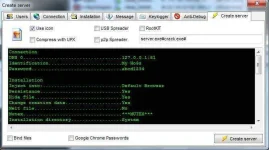
1.Go to File -> Create Server -> Choose the profile accordingly
2.Connection
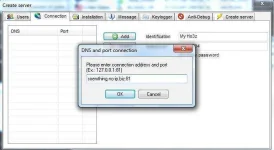
Where it says "Your DNS Here", hit delete then add your No-Ip and open port number such as xxx.no-ip.info:80 and click add.
3.Installation
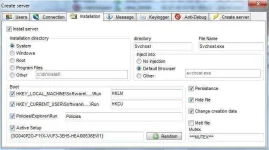
4.Keyl0gger
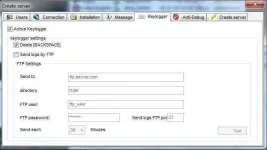
5.Anti-Debug
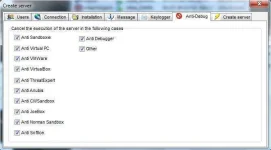
Select all of the anti-debug. If you want to test your server on yourself, leave Anti-Sandboxie alone.
6.Final Step
Thanks to -Devil sa pagtulong sakin thanks again
A box will come up that displays text in a strange Language.
Click no.
Next, go to Opcoes, choose Selectionar Idoma,
and click on English.
Now for the server set-up.
1.Go to File -> Create Server -> Choose the profile accordingly
2.Connection
Where it says "Your DNS Here", hit delete then add your No-Ip and open port number such as xxx.no-ip.info:80 and click add.
3.Installation
4.Keyl0gger
5.Anti-Debug
Select all of the anti-debug. If you want to test your server on yourself, leave Anti-Sandboxie alone.
6.Final Step
Thanks to -Devil sa pagtulong sakin thanks again