 PH
PHIObit Driver Booster Pro 6.0.2.628
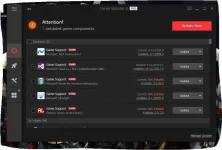
Driver Booster is a lightweight software application whose purpose is to help you manage outdated drivers for all your devices. The tool features an automatic scan mode that allows you to update all your drivers and game components so you can enjoy a stable performance of your system and smooth gaming experience. You are welcomed by an intuitive layout that reveals a list with the outdated drivers and another list with the up-to-date ones. Additionally, the tool offers detailed information about device drivers and game components detected on your system, such as device, type, vendor, driver, provider and version.
Intuitive configuration panel
link: You do not have permission to view the full content of this post. Log in or register now.
Hit thanks if nakatulong sa inyo
Driver Booster is a lightweight software application whose purpose is to help you manage outdated drivers for all your devices. The tool features an automatic scan mode that allows you to update all your drivers and game components so you can enjoy a stable performance of your system and smooth gaming experience. You are welcomed by an intuitive layout that reveals a list with the outdated drivers and another list with the up-to-date ones. Additionally, the tool offers detailed information about device drivers and game components detected on your system, such as device, type, vendor, driver, provider and version.
Intuitive configuration panel
- There’s nothing complicated about the configuration panel, as you may easily tweak several parameters. You can launch the app at Windows startup, automatically start the scan mode when the tool is launched, schedule the scan to start daily, weekly, biweekly or monthly, and display drivers that pass WHQL tests.
- What’s more, the utility lets you automatically scan newly connected devices, pick the saving directory where all the downloads are stored, automatically create a restore point before a driver is installed, build up a list with ignored devices (that are skipped from the scanning process), as well as set up network parameters.
- All in all, Driver Booster successfully mixes up a user-friendly interface with a handy pack of features for helping you update your drivers and game components without investing a lot of time and effort into it. There’s also a Pro version of the program, which can be found on the official site of the application, which offers support for driver backup for safe restore, enhanced hardware functionality, automatic program updates and other functions.
link: You do not have permission to view the full content of this post. Log in or register now.
Hit thanks if nakatulong sa inyo