PH
PHRequirements:
Windows Vista / Windows 7 / Windows 8 / Windows 10
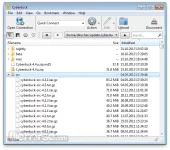
Cyberduck for Windows is an open source software which can connect to FTP (File Transfer Protocol), SFTP (SSH Secure File Transfer), WebDAV (Web-based Distributed Authoring and Versioning), Amazon S3, Google Cloud Storage, Windows Azure, Rackspace Cloud Files, and Google Docs to distribute your files.
Browse and move your files quickly in the browser with caching enabled for the best performance. Cyberducksupports Public key authentication, Keyboard Interactive (PAM) Authentication and one-time passwords. To edit files, a seamless integration with any external editor application makes it easy to change content quickly. Cyberduck for Windows can edit any text or binary file on the server in your preferred application.
Cyberduck for Windows Features:
Connecting to every server
With an easy to use interface, connect to FTP (File Transfer Protocol), SFTP (SSH Secure File Transfer), WebDAV (Web-based Distributed Authoring and Versioning), Amazon S3, Google Cloud Storage, Windows Azure, Rackspace Cloud Files and even Google Docs.
Edit any file with your preferred editor
To edit files, a seamless integration with any external editor application makes it easy to change content quickly. Edit any text or binary file on the server in your preferred application.
Distribute your content in the cloud
Both Amazon CloudFront and Akamai content delivery networks (CDN) can be easily configured to distribute your files worldwide from edge locations. Connect to any server using FTP, SFTP or WebDAV and configure it as the origin of a new Amazon CloudFront CDN distribution.
Amazon S3 for the rest of us
Browse Amazon Simple Storage Service like your harddisk. Supporting the latest and greatest additions to the S3 storage options. Define website endpoints, enable access logging, configure storage class, encryption and bucket location.
Manage your Google Docs
Convert uploads to Google Docs format and Optical Character Recognition (OCR) for image uploads. Define access control lists to share documents with other users using Google login credentials.
And many more (First class bookmarking, Browse with ease, Transfer anything, Advanced SSH features, Integration with system technologies).
Download link:You do not have permission to view the full content of this post. Log in or register now.
Windows Vista / Windows 7 / Windows 8 / Windows 10
Cyberduck for Windows is an open source software which can connect to FTP (File Transfer Protocol), SFTP (SSH Secure File Transfer), WebDAV (Web-based Distributed Authoring and Versioning), Amazon S3, Google Cloud Storage, Windows Azure, Rackspace Cloud Files, and Google Docs to distribute your files.
Browse and move your files quickly in the browser with caching enabled for the best performance. Cyberducksupports Public key authentication, Keyboard Interactive (PAM) Authentication and one-time passwords. To edit files, a seamless integration with any external editor application makes it easy to change content quickly. Cyberduck for Windows can edit any text or binary file on the server in your preferred application.
Cyberduck for Windows Features:
Connecting to every server
With an easy to use interface, connect to FTP (File Transfer Protocol), SFTP (SSH Secure File Transfer), WebDAV (Web-based Distributed Authoring and Versioning), Amazon S3, Google Cloud Storage, Windows Azure, Rackspace Cloud Files and even Google Docs.
Edit any file with your preferred editor
To edit files, a seamless integration with any external editor application makes it easy to change content quickly. Edit any text or binary file on the server in your preferred application.
Distribute your content in the cloud
Both Amazon CloudFront and Akamai content delivery networks (CDN) can be easily configured to distribute your files worldwide from edge locations. Connect to any server using FTP, SFTP or WebDAV and configure it as the origin of a new Amazon CloudFront CDN distribution.
Amazon S3 for the rest of us
Browse Amazon Simple Storage Service like your harddisk. Supporting the latest and greatest additions to the S3 storage options. Define website endpoints, enable access logging, configure storage class, encryption and bucket location.
Manage your Google Docs
Convert uploads to Google Docs format and Optical Character Recognition (OCR) for image uploads. Define access control lists to share documents with other users using Google login credentials.
And many more (First class bookmarking, Browse with ease, Transfer anything, Advanced SSH features, Integration with system technologies).
Download link:You do not have permission to view the full content of this post. Log in or register now.