 PH
PHPaalala lang po sa mga pc users, kung gusto ninyong magsubok ng resolution settings sa mga old games na ito, gamitin nyo muna sa inyong default monitor. say sa laptop para ma-test kung magkaroon ng tamang display para malaro, then mag-switch sa inyong external monitor ng hiwalay for further testing. Kung ang lumang laptop monitor ninyo ay limited ang resolution at gusto ninyong magtaas ng higher resolution, ang paggamit ng mga latest LED/LCD monitors kahit pa TV ay maaring makatulong as long as supported din ng drivers ninyo. FYI.
-
Welcome to PHCorner Forums! Sign up for free to unlock full access and exclusive privileges, including:
- Asking questions about computer and mobile issues
- Discovering internet tips for your mobile network and computer
You are using an out of date browser. It may not display this or other websites correctly.
You should upgrade or use an alternative browser.
You should upgrade or use an alternative browser.
Pc games [medyo classic 90's]
- Thread starter peejhay03
- Start date
darknebula
Forum Veteran
may nba 2k14 po kayo?
ZenKurtXhyle
Elite
salamat sa mga tips boss kakatapos lang magbackread/...Paalala lang po sa mga pc users, kung gusto ninyong magsubok ng resolution settings sa mga old games na ito, gamitin nyo muna sa inyong default monitor. say sa laptop para ma-test kung magkaroon ng tamang display para malaro, then mag-switch sa inyong external monitor ng hiwalay for further testing. Kung ang lumang laptop monitor ninyo ay limited ang resolution at gusto ninyong magtaas ng higher resolution, ang paggamit ng mga latest LED/LCD monitors kahit pa TV ay maaring makatulong as long as supported din ng drivers ninyo. FYI.
ligodligerem
Honorary Poster
ty so much bosssss

kristonecold
Established
Salamat TS.
kurikong12345
Enthusiast
Thanks po... 
Generally, working po yung RA2 / Yuri's Revenge pack sa first page for XP-Win7 32-bit at tested ko na po rin yan especially sa 64-bit. Meron lang fixes na gagawin in most cases when used in Windows 8 - 10. Di ko na matandaan kung dito ko na post o somewhere sa forum at natagal na itong thread. Binanggit ko na po yung fixes na na-test ko na rin sa Win 8.1 at Win10 64-bit laptops dito.
https://phcorner.org/threads/555200/page-9#post-11159590
Yung CNCNet ang the best sa lahat. You do not have permission to view the full content of this post. Log in or register now.
Kung di pa ma-fix, Google nyo na lang ito :ra2 fixes for windows 8 windows 10
Marami na kayo sources to find your fix. Bukod sa mga common fixes dyan for resolution, rendering, missing parts sa menu when running in windowed or desktop mode, crashing after minimizing screen, meron din upgrading to a much better gaming experience.
https://phcorner.org/threads/555200/page-9#post-11159590
Yung CNCNet ang the best sa lahat. You do not have permission to view the full content of this post. Log in or register now.
Kung di pa ma-fix, Google nyo na lang ito :ra2 fixes for windows 8 windows 10
Marami na kayo sources to find your fix. Bukod sa mga common fixes dyan for resolution, rendering, missing parts sa menu when running in windowed or desktop mode, crashing after minimizing screen, meron din upgrading to a much better gaming experience.
Yung upload sa first page at maging yung binigay ko kung saan post dito ay Game Rip na may preliminary fixes for hardware at that time. Luma kasing game ito (designed as 16-bit), kaya sa bagong henerasyon ng pc hardware ay hahanap ka talaga ng fixes to downgrade your hardware settings to fit the game.
Ito na yung link for similar game rip + possible fixes na nasa posts:
Halos nandyan lahat ng pwedeng paraan para magamit ninyo ng maayos.
Ang common fix sa una naman ay be sure may directX 9.0c ka, always run as admin, set nyo sa mababang compatibility mode (say XP-SPx pababa), then try on reduce color mode up to 16-bit or in windowed mode....
Huwag muna kayong magtaas ng resolution hanggang nakita ninyong stable siya kung i-minimize sa taskbar at ibalik ulit...and then try the fixes sa posts. Be sure lahat ng files na babaguhin ninyo ay may back-up para pwedeng ibalik sa dati....
Di pa alo makapag-simulate ulit at wala na akong working pc ngayon.
..Kung mag-comment kayo, be specific sa cause and effect para madaling maintindihan at mahanapan ng fix - ano yung hardware, OS ninyo man lang at kung ano nakikita ninyo sa screen (black screen, anong error, nag-freeze ba....) . Kung not working lang po, di natin alam kung saan yung problema.
==============================================================================================
PS. Ito po yung last guide na nakita ko na working on all Windows sa aking retrieved disc.
I. Kung sanay na kayong mag-install ng mods and third-party client launchers sa games, pwede ninyong sundan ito.
1. Install the game rip
2. Follow the last step on this link - “Handling Red Alert 2 and Yuri’s Revenge on Windows 8 / 8.1 / 10” :
You do not have permission to view the full content of this post. Log in or register now.
II. Kung sanay kayo sa coding, marunong sumunod/bumasa ng makefiles, at least merong MSVC 12 at powershell sa OS, you can try building your own OpenRA RA2 Game Engine.
You do not have permission to view the full content of this post. Log in or register now.
You do not have permission to view the full content of this post. Log in or register now.
(Kailangan ninyo pa rin yung working game rip para umandar siya as stated . If not, pagtiyagaan nyo yung RA1 for modern hardware/OS dito - You do not have permission to view the full content of this post. Log in or register now.)
Ito na yung link for similar game rip + possible fixes na nasa posts:
Spoiler contents are visible only to Established Members.
Ang common fix sa una naman ay be sure may directX 9.0c ka, always run as admin, set nyo sa mababang compatibility mode (say XP-SPx pababa), then try on reduce color mode up to 16-bit or in windowed mode....
Huwag muna kayong magtaas ng resolution hanggang nakita ninyong stable siya kung i-minimize sa taskbar at ibalik ulit...and then try the fixes sa posts. Be sure lahat ng files na babaguhin ninyo ay may back-up para pwedeng ibalik sa dati....
Di pa alo makapag-simulate ulit at wala na akong working pc ngayon.
..Kung mag-comment kayo, be specific sa cause and effect para madaling maintindihan at mahanapan ng fix - ano yung hardware, OS ninyo man lang at kung ano nakikita ninyo sa screen (black screen, anong error, nag-freeze ba....) . Kung not working lang po, di natin alam kung saan yung problema.
==============================================================================================
PS. Ito po yung last guide na nakita ko na working on all Windows sa aking retrieved disc.
I. Kung sanay na kayong mag-install ng mods and third-party client launchers sa games, pwede ninyong sundan ito.
1. Install the game rip
2. Follow the last step on this link - “Handling Red Alert 2 and Yuri’s Revenge on Windows 8 / 8.1 / 10” :
You do not have permission to view the full content of this post. Log in or register now.
II. Kung sanay kayo sa coding, marunong sumunod/bumasa ng makefiles, at least merong MSVC 12 at powershell sa OS, you can try building your own OpenRA RA2 Game Engine.
You do not have permission to view the full content of this post. Log in or register now.
You do not have permission to view the full content of this post. Log in or register now.
(Kailangan ninyo pa rin yung working game rip para umandar siya as stated . If not, pagtiyagaan nyo yung RA1 for modern hardware/OS dito - You do not have permission to view the full content of this post. Log in or register now.)
kolokoy1015
Established
salamat share boss na miss koto
Practice kayong mag-Install ng old games
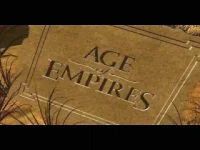
Age of Empires (Gold Edition) - pack release date 1998 (game was in 1997)
Old info thread: You do not have permission to view the full content of this post. Log in or register now.
System requirements:
Installer: Original CD in ISO form (burn.mount, install)
Sa mga bagong hardware/OS, you should know this by now: You do not have permission to view the full content of this post. Log in or register now. . Sa installation ay kailangan yan.
Info's, manual, guide, p-a-t-c-h, mods......: get them here except the p-a-t-c-h as AOE Gold Edition has it already.
For high resolution and better gaming sa new hardware and OS: The p-a-t-c-h will do all the work for you!
Unofficial HD ρá†ch for Age of Empires: the Rise of Rome (For XP and above): Scroll all the pages especially the features, help, and download pages before applying the ρá†ch para iwas tanungan. It works!
Parang remastered look siya, at stable, kaya mainam laruin kaysa yung original.


Good luck po.
Age of Empires (Gold Edition) - pack release date 1998 (game was in 1997)
Old info thread: You do not have permission to view the full content of this post. Log in or register now.
System requirements:
- Pentium 90 processor or faster (P-133+ for 1024 x 768 resolution)
- SVGA with 1 MB RAM
- fast 2D graphics card (2 MB required for 1024 x 768)
- 16 MB RAM
- Win 95 or Win NT 4.0 with Service Pack 3
- 80+ MB HD space (together with the swap file, it's up to 150 MB)
- 50 MB HD space for swap file (you might have to adjust the settings in the control panel)
- Double speed CD-ROM (quad speed recommended)
- MS/Logitech Mouse or compatible
- sound card for audio
- 28.8 kbps modem for internet play
Installer: Original CD in ISO form (burn.mount, install)
Spoiler contents are visible only to Established Members.
Sa mga bagong hardware/OS, you should know this by now: You do not have permission to view the full content of this post. Log in or register now. . Sa installation ay kailangan yan.
Info's, manual, guide, p-a-t-c-h, mods......: get them here except the p-a-t-c-h as AOE Gold Edition has it already.
Spoiler contents are visible only to Established Members.
For high resolution and better gaming sa new hardware and OS: The p-a-t-c-h will do all the work for you!
Unofficial HD ρá†ch for Age of Empires: the Rise of Rome (For XP and above): Scroll all the pages especially the features, help, and download pages before applying the ρá†ch para iwas tanungan. It works!
Spoiler contents are visible only to Established Members.
Good luck po.
OK. May nakita akong shortest method to fix problems with Win10 and Win 8.x.Yung upload sa first page at maging yung binigay ko kung saan post dito ay Game Rip na may preliminary fixes for hardware at that time. Luma kasing game ito (designed as 16-bit), kaya sa bagong henerasyon ng pc hardware ay hahanap ka talaga ng fixes to downgrade your hardware settings to fit the game.
Ito na yung link for similar game rip + possible fixes na nasa posts:
Halos nandyan lahat ng pwedeng paraan para magamit ninyo ng maayos.
Ang common fix sa una naman ay be sure may directX 9.0c ka, always run as admin, set nyo sa mababang compatibility mode (say XP-SPx pababa), then try on reduce color mode up to 16-bit or in windowed mode....
Huwag muna kayong magtaas ng resolution hanggang nakita ninyong stable siya kung i-minimize sa taskbar at ibalik ulit...and then try the fixes sa posts. Be sure lahat ng files na babaguhin ninyo ay may back-up para pwedeng ibalik sa dati....
Di pa alo makapag-simulate ulit at wala na akong working pc ngayon.
..Kung mag-comment kayo, be specific sa cause and effect para madaling maintindihan at mahanapan ng fix - ano yung hardware, OS ninyo man lang at kung ano nakikita ninyo sa screen (black screen, anong error, nag-freeze ba....) . Kung not working lang po, di natin alam kung saan yung problema.
==============================================================================================
PS. Ito po yung last guide na nakita ko na working on all Windows sa aking retrieved disc.
I. Kung sanay na kayong mag-install ng mods and third-party client launchers sa games, pwede ninyong sundan ito.
1. Install the game rip
2. Follow the last step on this link - “Handling Red Alert 2 and Yuri’s Revenge on Windows 8 / 8.1 / 10” :
You do not have permission to view the full content of this post. Log in or register now.
II. Kung sanay kayo sa coding, marunong sumunod/bumasa ng makefiles, at least merong MSVC 12 at powershell sa OS, you can try building your own OpenRA RA2 Game Engine.
You do not have permission to view the full content of this post. Log in or register now.
You do not have permission to view the full content of this post. Log in or register now.
(Kailangan ninyo pa rin yung working game rip para umandar siya as stated . If not, pagtiyagaan nyo yung RA1 for modern hardware/OS dito - You do not have permission to view the full content of this post. Log in or register now.)
1. Install ninyo yung pack ni bosing or kung anong installer meron kayo dyan - original or game rip.
2. Punta kayo dito para sa mga important info and files.
Spoiler contents are visible only to Established Members.
 6 MB (Windows) " , unzip nyo at sundin yung instructions. HD capable na yan pero don't expect na perfect po pero playable in high resolution at napagtitiyagaan kung compatible sa setup ninyo. Obserbahan nyo lang kung saan siya magkakaproblema para iwasan nyo yung case na yon.
4. Kung may balak kayong mag-online, saka nyo na lang patungan noong CNC installer for Yuri at sakop naman nyan yung RA2 - di lang kayo makakalaro ng campaign kung CNC launcher yung ginamit niniyo. Maraming madadagdag sa game setup ninyo, tulad ng additional maps atbp. Doon kayo sa dating executable mag-launch ng CNC kung gusto ninyong maglaro ng campaign.
5. Kung gusto ninyong dagdagan ng nawalang features, punta kayo dito at sundin yung instructions to use them:
language pack and movie cutscenes para sa campaign mode
Spoiler contents are visible only to Established Members.
PS. Meron pa akong napansin. Kapag nag-slomo sa inyo sa HD 16-bit resolution (aka "slow rendering"), download nyo ito at palitan yung lumang ddraw.dll sa game folder. Latest po yan at verified kong medyo ok na ang problema ko sa Win 7.OK. May nakita akong shortest method to fix problems with Win10 and Win 8.x.
1. Install ninyo yung pack ni bosing or kung anong installer meron kayo dyan - original or game rip.
2. Punta kayo dito para sa mga important info and files.
3. Kunin nyo dyan yung " Windows 8 / 10 Fix6 MB (Windows) " , unzip nyo at sundin yung instructions. HD capable na yan pero don't expect na perfect po pero playable in high resolution at napagtitiyagaan kung compatible sa setup ninyo. Obserbahan nyo lang kung saan siya magkakaproblema para iwasan nyo yung case na yon.
4. Kung may balak kayong mag-online, saka nyo na lang patungan noong CNC installer for Yuri at sakop naman nyan yung RA2 - di lang kayo makakalaro ng campaign kung CNC launcher yung ginamit niniyo. Maraming madadagdag sa game setup ninyo, tulad ng additional maps atbp. Doon kayo sa dating executable mag-launch ng CNC kung gusto ninyong maglaro ng campaign.
5. Kung gusto ninyong dagdagan ng nawalang features, punta kayo dito at sundin yung instructions to use them:
language pack and môviê cutscenes para sa campaign mode
Para na rin kayong naglaro ng original. I hope this ends the guide for CNC RA2+Yuri Expansion Mod.
Spoiler contents are visible only to Established Members.
Spoiler contents are visible only to Established Members.
Kung OK siya at na-fix yung problema, pati mods like Mental Omega ay compatible din.
Pero kung di pa rin ay gamitin nyo na lang yung individual fixes dito:
RA2
Spoiler contents are visible only to Established Members.
Spoiler contents are visible only to Established Members.
Be sure naka-windowed mode kayo (via -win) or use Bibber's C&C Ultimate Collection Launchers :
Spoiler contents are visible only to Established Members.
About this Thread
-
597Replies
-
33KViews
-
348Participants
Last reply from:
melrey143
melrey143
New Topics
-
MX vs ATV Legends: Deluxe Edition (v5.13) [FitGirl Repack]
- Started by Carlos2026
- Replies: 0
- 🖥️ PC Gaming
-
BeamNG.drive.v0.40.1.rar 2026 Edition
- Started by Carlos2026
- Replies: 0
- 🖥️ PC Gaming
-
Forza Horizon 3: Ultimate Edition (v1.0.125.2) [FitGirl Repack]
- Started by Carlos2026
- Replies: 0
- 🖥️ PC Gaming
-
Enshrouded.v1.0.0.3.rar (Latest 2026)
- Started by Carlos2026
- Replies: 0
- 🖥️ PC Gaming
-
Farming Simulator .25.v1.25.0.0.rarfor PC (Latest 2026)
- Started by Carlos2026
- Replies: 0
- 🖥️ PC Gaming
-
GTA IV Temu Version
- Started by Dashflix
- Replies: 4
- 🖥️ PC Gaming
-
Stygian Outer Gods - RUNE
- Started by w4rez-db
- Replies: 0
- 🖥️ PC Gaming
-
Kingdom Rush 6 Genesis
- Started by jctakgicana
- Replies: 0
- 🖥️ PC Gaming
-
Mortal Shell II Rotten Autumn - RUNE
- Started by w4rez-db
- Replies: 0
- 🖥️ PC Gaming
-
ASPIS Free Download
- Started by 707
- Replies: 0
- 🖥️ PC Gaming
Trending Topics
Online now
- Members online
- 1,070
- Guests online
- 5,713
- Total visitors
- 6,783