PH
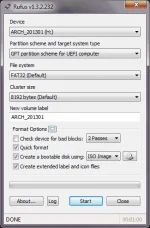
PHRufus is a small utility that helps format and create bootable USB flash drives, such as USB keys/pendrives, memory sticks, etc.
It can be especially useful for cases where:
Despite its small size, Rufus provides everything you need!
Oh, and Rufus is fast. For instance it's about twice as fast as You do not have permission to view the full content of this post. Log in or register now., You do not have permission to view the full content of this post. Log in or register now. orYou do not have permission to view the full content of this post. Log in or register now., on the creation of a Windows 7 USB installation drive from an ISO (with honorable mention to You do not have permission to view the full content of this post. Log in or register now. for managing to keep up). It is also marginally faster on the creation of Linux bootable USB from ISOs You do not have permission to view the full content of this post. Log in or register now..
A non exhaustive list of Rufus supported ISOs is also provided at the bottom of this page You do not have permission to view the full content of this post. Log in or register now..
Finally, please remember that once formatted, your drive is still usable as before to transfer data: it doesn't have to be dedicated for DOS or ISO installation only.
It can be especially useful for cases where:
- you need to create USB installation media from bootable ISOs (Windows, Linux, EFI, etc.)
- you need to work on a system that doesn't have an OS installed
- you need to flash a BIOS or other firmware from DOS
- you want to run a low-level utility
Despite its small size, Rufus provides everything you need!
Oh, and Rufus is fast. For instance it's about twice as fast as You do not have permission to view the full content of this post. Log in or register now., You do not have permission to view the full content of this post. Log in or register now. orYou do not have permission to view the full content of this post. Log in or register now., on the creation of a Windows 7 USB installation drive from an ISO (with honorable mention to You do not have permission to view the full content of this post. Log in or register now. for managing to keep up). It is also marginally faster on the creation of Linux bootable USB from ISOs You do not have permission to view the full content of this post. Log in or register now..
A non exhaustive list of Rufus supported ISOs is also provided at the bottom of this page You do not have permission to view the full content of this post. Log in or register now..
Finally, please remember that once formatted, your drive is still usable as before to transfer data: it doesn't have to be dedicated for DOS or ISO installation only.