PH
PHRequirements:
Windows XP / Vista / Windows 7 / Windows 8 / Windows 10
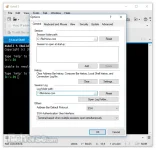
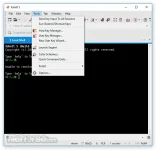
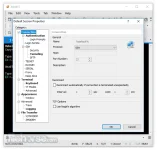
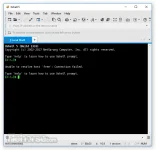
Xshell Free is a powerful terminal emulator for Windows PCthat supports SSH, SFTP, TELNET, RLOGIN and SERIAL. It delivers industry leading performance and feature sets that are not available in its free alternatives. Features that enterprise users will find useful include a tabbed environment, dynamic port forwarding, custom key mapping, user defined buttons, VB scripting, and UNICODE terminal for displaying 2 byte characters and international language support. Xshell is free for home and school use.
Xshell Free offers many user friendly features that are not available in other terminal emulators. These features include Zmodem file uploads by drag and drop, Zmodem file downloads by selecting the file name, simple mode, full screen mode, transparency options, and a custom layout mode. Save time and effort when performing terminal tasks using Xshell.
 Xshell Free Features:
Replaces insecure telnet clients.
Xshell supports VT100, VT220, VT320, XTERM, LINUX, SCOANSI and ANSI terminal emulation and provides various terminal appearance options replacing legacy telnet clients.
Supports secure connections for X11 and arbitrary TCP/IP applications.
Xshell supports the port forwarding feature over the SSH tunneling mechanism, so that all TCP/IP applications can share a secure connection without any modification to the program.
Don’t let others take a peek at your information
Xshell supports various security features such as SSH1/SSH2 protocols, password, and DSA/RSA public key user authentication methods, and encrypts all traffic with various encryption algorithms. It is essential to keep your data safe with the built-in Xshell security feature, because the traditional connection protocols such as TELNET and Rlogin can leave your network traffic vulnerable to anyone with network knowledge. Xshell will help you protect your data from häçkers.
The best terminal emulator user experience
Terminal users often have to work with multiple terminal sessions at any given time and need to compare the terminal output with many different hosts or send same set of commands to them. Xshell is designed to resolve these issues. With wide range of user convenient features such as tabbed environment, split window, synchronized key input and session management, you can save time and get more work done faster.
Multiple languages in a single screen? Xshell is ready when you are
Xshell is the first of its kind that has UTF-8 based terminal. With Xshell, multiple languages can be displayed on a single screen and there is no need to switch between different language encodings. As more businesses are moving towards providing their services, databases and applications in UTF-8 format, there is an increasing demand for a terminal emulator that supports UTF-8 encoding. Xshell can help you handle the multiple language environment.
Download link:You do not have permission to view the full content of this post. Log in or register now.
~Professora Hakimi Kazumi
Asianism
Windows XP / Vista / Windows 7 / Windows 8 / Windows 10
Xshell Free is a powerful terminal emulator for Windows PCthat supports SSH, SFTP, TELNET, RLOGIN and SERIAL. It delivers industry leading performance and feature sets that are not available in its free alternatives. Features that enterprise users will find useful include a tabbed environment, dynamic port forwarding, custom key mapping, user defined buttons, VB scripting, and UNICODE terminal for displaying 2 byte characters and international language support. Xshell is free for home and school use.
Xshell Free offers many user friendly features that are not available in other terminal emulators. These features include Zmodem file uploads by drag and drop, Zmodem file downloads by selecting the file name, simple mode, full screen mode, transparency options, and a custom layout mode. Save time and effort when performing terminal tasks using Xshell.
Xshell Free Features:Replaces insecure telnet clients.
Xshell supports VT100, VT220, VT320, XTERM, LINUX, SCOANSI and ANSI terminal emulation and provides various terminal appearance options replacing legacy telnet clients.
Supports secure connections for X11 and arbitrary TCP/IP applications.Xshell supports the port forwarding feature over the SSH tunneling mechanism, so that all TCP/IP applications can share a secure connection without any modification to the program.
Don’t let others take a peek at your informationXshell supports various security features such as SSH1/SSH2 protocols, password, and DSA/RSA public key user authentication methods, and encrypts all traffic with various encryption algorithms. It is essential to keep your data safe with the built-in Xshell security feature, because the traditional connection protocols such as TELNET and Rlogin can leave your network traffic vulnerable to anyone with network knowledge. Xshell will help you protect your data from häçkers.
The best terminal emulator user experienceTerminal users often have to work with multiple terminal sessions at any given time and need to compare the terminal output with many different hosts or send same set of commands to them. Xshell is designed to resolve these issues. With wide range of user convenient features such as tabbed environment, split window, synchronized key input and session management, you can save time and get more work done faster.
Multiple languages in a single screen? Xshell is ready when you areXshell is the first of its kind that has UTF-8 based terminal. With Xshell, multiple languages can be displayed on a single screen and there is no need to switch between different language encodings. As more businesses are moving towards providing their services, databases and applications in UTF-8 format, there is an increasing demand for a terminal emulator that supports UTF-8 encoding. Xshell can help you handle the multiple language environment.
Download link:You do not have permission to view the full content of this post. Log in or register now.
~Professora Hakimi Kazumi
Asianism