 PH
PHjamesiswizard_1
Elite
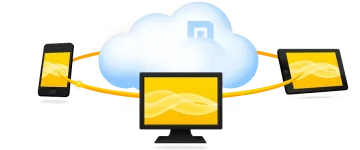
Maxthon’s Cloud Browser Sets You Free


Free DownloadMaxthon for Windows
More Devices You do not have permission to view the full content of this post.
Log in or register now., You do not have permission to view the full content of this post.
Log in or register now., You do not have permission to view the full content of this post.
Log in or register now., You do not have permission to view the full content of this post.
Log in or register now. and You do not have permission to view the full content of this post.
Log in or register now..More Features
 Installing Maxthon3
(1)Double-click the icon

If you run the installer on Vista or Windows7, there might be a security prompt. If so, please click "Yes."

(2)Installation Progress
Give us your OK on the End User License Agreement to continue the installation.

Here you can select a directory if you want. If not, Maxthon will do it for you. Just click "Install Now!"

(3)Customize Installation
By Clicking "Customize", you can select the directory for Maxthon3, create shortcuts for Maxthon3 and set Maxthon3 as your default browser.

Installing Maxthon 3 is quick and easy.
Uninstall Maxthon3
(1)Start uninstall
Uninstall Maxthon3 in those ways.
1. Click "Start", select "All programs" and run Maxthon3 uninstall from Maxthon3 folder. If you didn't create a Maxthon 3 folder during installation, you'll need to uninstall Maxthon3 from Control Panel.

2. Open Windows Control Panel and run Uninstall from "Programs and Features"

3. Open Maxthon 3's directory on your hard drive, open the folder "Bin" and run Mx3UnInstall.exe to uninstall Maxthon3.
(2)Uninstall process
During uninstallation you can opt to keep your personal settings which includes your favorites, Maxthon configurations, saved passwords and the rest of your magic fill data. The next time you install a new version of Maxthon these settings will be imported. We recommend saving your settings. If you delete your personal setting, it cannot be recovered.
Please select the reason you uninstall Maxthon3 or add something original.
We love hearing from our users -- what you like, what you loathe and what confounds you. Type away!
Click "Uninstall" and start uninstall Maxthon. All your feedbacks will be sent to us.


