PH
PHMahershalalhashbaz
Honorary Poster
Mga paps paano ba mag install ng Net Framework na hindi na kailangan ng internet connection? Kasi almost of the applications requiring NetFramework Versuin 2.0 and 3.0 paano po mga paps help please:
check mo mabuti kung
32bits or 64bits...
Paps 64 bit ang Latop ko. Pahingi naman ng Link please papscheck mo mabuti kung
32bits or 64bits...
Paps 64 bit ang Latop ko. Pahingi naman ng Link please paps
Kailangan parin ito ng net connection.eto boss
You do not have permission to view the full content of this post. Log in or register now.
Supported Operating System
Windows 10 , Windows 7 Service Pack 1, Windows 8.1, Windows Server 2008 R2 SP1, Windows Server 2012, Windows Server 2012 R2, Windows Server 2016
Minimum Hardware Requirements:
- Windows 7 SP1 (x86 and x64)
- Windows 8.1 (x86 and x64)
- Windows 10 Anniversary Update (x86 and x64)
- Windows Server 2008 R2 SP1 (x64)
- Windows Server 2012 (x64)
- Windows Server 2012 R2 (x64)
- Windows Server 2016 (x64)
- 1 GHz or faster processor
- 512 MB of RAM
- 4.5 GB of available hard disk space (x86)
- 4.5 GB of available hard disk space (x64)
once na na-download mo na ung standalone...Kailangan parin ito ng net connection.
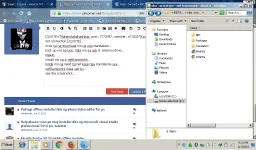
once na na-download mo na ung standalone...
back up mo na iyon, itabi mo sa usb or external drive...
ngaun,
install mo na si netframework...
hinde mo na need ng net kase nga standalone sya...
netframework nasa usb ko...
see the screenshot...
View attachment 319685
teka hanap tayo ng netframework 64bits...
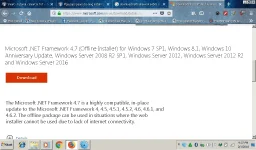
ito download mo...
syempre kelangan mo ng net...
You do not have permission to view the full content of this post. Log in or register now.
View attachment 319695
wala problema sa os...
supported nya ang windows 7, 8 and 10....