PH
PHRequirements:
Windows XP / Vista / Windows 7 / Windows 8 / Windows 10
YUMI (Your Universal Multiboot Integrator) is the successor to Multiboot ISOs. It can be used to create a Multiboot USB Flash Drive containing multiple operating systems, antivirus utilities, disc cloning, diagnostic tools, and more. Contrary to MultiBootISOs which used grub to boot ISO files directly from USB, YUMI uses syslinux to boot extracted distributions stored on the USB device, and reverts to using grub to Boot Multiple ISO files from USB, if necessary. YUMI Free Download Latest Version for Windows PC. It is full offline setup installer of YUMI.
Aside from a few distributions, all files are stored within the Multiboot or YUMI folder (depending on version), making for a nicely organized Multiboot USB Drive that can still be used for other storage purposes.
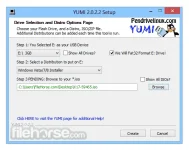
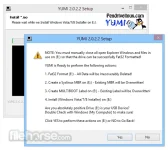
Creating a YUMI Multiboot MultiSystem Bootable USB Flash Drive. YUMI works much like Universal USB Installer, except it can be used to install more than one distribution to run Live from your USB. Distributions can also be uninstalled using the same tool.
YUMI was intended to be used to try to run various "LIVE Linux" Operating Systems from USB. Installing Linux from the YUMI created USB Drive to a Hard Drive is not officially supported. If the installer portion of any Live Linux distro does work, consider it a bonus.
Download link:You do not have permission to view the full content of this post. Log in or register now.
Professora Hakimi Kazumi
Asianism
Windows XP / Vista / Windows 7 / Windows 8 / Windows 10
YUMI (Your Universal Multiboot Integrator) is the successor to Multiboot ISOs. It can be used to create a Multiboot USB Flash Drive containing multiple operating systems, antivirus utilities, disc cloning, diagnostic tools, and more. Contrary to MultiBootISOs which used grub to boot ISO files directly from USB, YUMI uses syslinux to boot extracted distributions stored on the USB device, and reverts to using grub to Boot Multiple ISO files from USB, if necessary. YUMI Free Download Latest Version for Windows PC. It is full offline setup installer of YUMI.
Aside from a few distributions, all files are stored within the Multiboot or YUMI folder (depending on version), making for a nicely organized Multiboot USB Drive that can still be used for other storage purposes.
Creating a YUMI Multiboot MultiSystem Bootable USB Flash Drive. YUMI works much like Universal USB Installer, except it can be used to install more than one distribution to run Live from your USB. Distributions can also be uninstalled using the same tool.
YUMI was intended to be used to try to run various "LIVE Linux" Operating Systems from USB. Installing Linux from the YUMI created USB Drive to a Hard Drive is not officially supported. If the installer portion of any Live Linux distro does work, consider it a bonus.
Download link:You do not have permission to view the full content of this post. Log in or register now.
Professora Hakimi Kazumi
Asianism