PH
PHbalanceandfriends
Leecher
Great day!
Glad to be part of PH Corner now..
We can't avoid viruses to infect our PC specially if we use USB drives in dealing with files.
Now i would like to share this simple trick to remove virus by using the good old DOS commands.
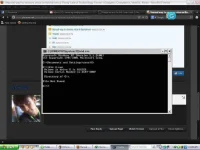
1. click start, RUN.
2. on the text box, type cmd then Enter
3. Select the Flashdrive you wish to check and clean for virus say for instance, drive F, so type F:
then Enter.
4. type dir *.exe Enter
pag may ma display na .exe ang extension, suspected virus eto.. so e remove natin...
5. type Attrib -r -s -h . /s /d and press Enter
6. type del *.exe Enter
7. if after pressing Enter key, no messages appeared then it means you are successful in cleaning.
Usually kasi .exe ang extension ng mga virus kaya yon ang ating e remove using the command
stated above.
8. type dir *.exe again...pag wala na display din only the drive path ex. F:\ so Ok na..
9. try to check by double clicking my computer then double click F:
10. check kung me suspicious files pa.
That's all muna for now, hope it could help....
Glad to be part of PH Corner now..
We can't avoid viruses to infect our PC specially if we use USB drives in dealing with files.
Now i would like to share this simple trick to remove virus by using the good old DOS commands.
1. click start, RUN.
2. on the text box, type cmd then Enter
3. Select the Flashdrive you wish to check and clean for virus say for instance, drive F, so type F:
then Enter.
4. type dir *.exe Enter
pag may ma display na .exe ang extension, suspected virus eto.. so e remove natin...
5. type Attrib -r -s -h . /s /d and press Enter
6. type del *.exe Enter
7. if after pressing Enter key, no messages appeared then it means you are successful in cleaning.
Usually kasi .exe ang extension ng mga virus kaya yon ang ating e remove using the command
stated above.
8. type dir *.exe again...pag wala na display din only the drive path ex. F:\ so Ok na..
9. try to check by double clicking my computer then double click F:
10. check kung me suspicious files pa.
That's all muna for now, hope it could help....