🔒 Closed Black screen laptop

Status
Not open for further replies.

crylie98

Fanatic
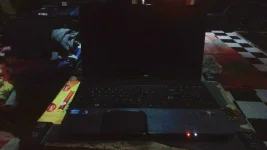
Help guys black screen laptop pag on black lang sya hanggang ilaw lang wala man lang beep kahit ano.nanood nako sa youtube ginawa ko na lahat yaw pa din.hindi ko alam kung bios ba ang prob or screen wala kasing beep sound.
Comtech ako pero di ko maayos ayos haha.
Sana may maka tulong sakin salamat
Anjan yung picture
 

Attachments

  • IMG_20171009_105529040.webp
    IMG_20171009_105529040.webp
    71.8 KB · Views: 31
naku, wag naman po sana hardware/motherboard sira ng laptop nyo ts. kung hardisk at ram lang sira, mura lang yun. ram siguro 2k. and 4gig and hardisk siguro 3k.(1tera). so around 5k gastos. pero kung motherboard na. sad to say, need mo na ng replacement. :( pero hanggat kaya troubleshoot mo lang. yung blue at blackscreen kasi na-encouter ko na at ganyan lang ginawa kong paraan.
Salamat sa tulong sir
 
hi share ko lang: same tau ng problem sakin not once but twice sya nangyar sakin.

First tol black screen of death tawag nila jan.. pero may solution pa nmn using reFlux and reheat. pero para sure ka na black screen of death yan. try mo muna gumamit second screen to make sure..then pag sure ka na talaga.. need mo baklasin laptop mo main focus mo ay sa built video card need mo sya reheat using flux dpat pra gumana..pra sa tamang procedure search mo lang sa ÿôutubê about sa black screen of death..
Sure ako screen sir gumamit na ko ng second screen.try ko pong gawin yung sinabi nyo salamat po
 
Sure ako screen sir gumamit na ko ng second screen.try ko pong gawin yung sinabi nyo salamat po
black screen of death na yan..if marunong ka mgbaklas na laptop mas maganda..need mo lang ng heater para jan sa flux.. flux nasa 45 pesos lang sa mga electronics store un..ung heater lang mahal.. ung laptop mo ay pang gaming mo? like NBA2k dota heavy games..?
 
Wait, are you able to boot normally using an external monitor?

If so then your laptop screen is the problem.

1. Loose connection: Try to open it up and find those wires that connects your screen to your motherboard, detach and reattach. If nothing happens then maybe its a capacitor problem (im not so sure). So just bring it to a technician.

2. If it fell down then its a bigger problem, a costly LCD problem.

3. Another is due to overheating, so maybe a heat reflow is needed.

~good luck.
 
Status
Not open for further replies.

About this Thread

  • 25
    Replies
  • 992
    Views
  • 11
    Participants
Last reply from:
OfdMt

Trending Topics

Online now

Members online
985
Guests online
972
Total visitors
1,957

Forum statistics

Threads
2,275,831
Posts
28,965,873
Members
1,231,954
Latest member
ashfx
Back
Top