 PH
PH
Black Screen App Overview
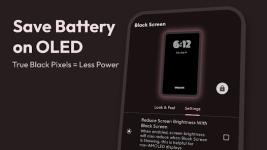
Black Screen is a utility application designed to overlay a pure black screen while keeping the underlying processes active. This allows users to play videos, listen to podcasts, stream content, or record video with the display turned off. On AMOLED and OLED devices, this significantly reduces power consumption since pixels displaying true black are completely powered down.Specifications & Compatibility
| Detail | Specification |
|---|---|
| Minimum OS Requirement | Android 7.0+ |
| Architecture Support | None (Independent / Architecture-neutral) |
| Screen DPI Support | Ldpi, Mdpi, Tvdpi, Hdpi, Xhdpi, Xxhdpi, Xxxhdpi |
| Supported Languages | af, am, ar, as, az, be, bg, bn, bs, ca, cs, da, de, el, en-AU, en-CA, en-GB, en-IN, en-XC, es, es-419, es-US, et, eu, fa, fi, fr, fr-CA, gl, gu, hi, hr, hu, hy, in, is, it, iw, ja, ka, kk, km, kn, ko, ky, lo, lt, lv, mk, ml, mn, mr, ms, my, nb, ne, nl, or, pa, pl, pt, pt-BR, pt-PT, ro, ru, si, sk, sl, sq, sr, sr-Latn, sv, sw, ta, te, th, tl, tr, uk, ur, uz, vi, zh-CN, zh-HK, zh-TW, zu |
Core Features
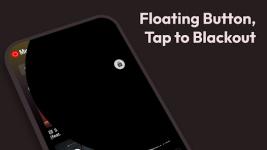
- Floating Action Button: Instantly toggles the black screen overlay; a single tap unlocks the display.
- Media & Background Execution: Supports uninterrupted playback and recording (videos, podcasts, streams, selfies) with the screen obscured.
- Display Optimization: Provides a pure black display mode and includes an Always-on Display configuration.
- Customization: Tailor the overlay behavior and interface elements.
Note: This application functions purely as a black screen overlay to optimize battery efficiency on compatible displays. It does not replace the native system lock screen.
What's New
- Peeping Protection Mode: Enhanced privacy control.
- Statistics & Monitoring: Integrated usage statistics and battery percentage display.
- Security Integration: Added support for biometric authentication.
- System Integration: Added a Quick Settings Tile for rapid toggling.
- Stability: Fixed application crashes.
Optimization and Package Details
- Graphics Optimization: All PNG files optimized (100% optimization, saving 44 kB / 41%). Zero JPG assets present within the APK.
- Resource Handling:
resources.arscstored uncompressed;classes.dexrecompressed. - Libraries: No external native libraries detected in the package.
- Alignment: APK file is zipaligned for optimized runtime performance.