PH
PHdjdoolky76
Forum Master
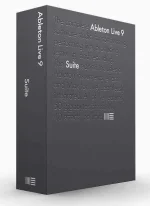
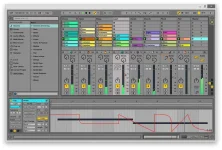
Ableton Live 9 is a professional audio application designed to help users create various musical compositions, record and edit audio files. This tool comes packed with a multitude of dedicated parameters, so the layout may seem a bit overwhelming at a first glance. However, it provides a help manual and useful tutorials on how to get started working with this program. Ableton Live 9 free download allows users to automate devices and mixer controls, access the tool via an external MIDI controller, choose from various audio and MIDI effects, and extend the functionality of the app using the VST and AU plugins. Download Ableton Live 9 full version today.
Minimum System Requirements:
- Intel or AMD Multicore processor
- At least 2 GB RAM
- 1024×768 display
- Broadband internet connection for installation (optional)
- 3GB free disk space
Install Instructions:
0. Download Ableton Live 9 below and extract all the files using any extracting program you have.
1. Install the application by double clicking on “ableton_live_suite_9.1.2_64”
2. Copy “Ableton LiveP atch” file from the “P atch” folder and paste it in to the defualt installation folder. It is usually located at C:\ProgramData\Ableton\Live 9 Suite\Program (Attention: ProgramData)
3. RUN the p atch file and click on p atch button to activate it.
4. The p atch program will create the file “Authorize.auz” in same folder. Double click on the “Authorize.auz” to ACTIVATE and run the application.
5. Go to Options – Preferences – Licenses Maintenance and turn off “Get software update” and “Send user data”
6. Done and enjoy!
Download link:
see attachment below