PH
PHPaano nga ba makakagawa ng folder na hindi nadedelete at di napapalitan ng pangalan? ayos diba? sana nga kagaya ng pag-ibig lang no? di nawawala at di napapalitan 
Are You Ready?
ok let's start!
take note: pwede niyo naman palitan si "con" ng kahit anong folder name na gusto niyo. pero ang disadvantage nito;
kay "con" hindi siya nadedelete. pero pag iba na ang name niya like "madpro" or etc. kahit anong name NADEDELETE sya. maraming name na gaya ni "con" na di nadedelete. pero may paraan naman para diyan. at ibabahagi ko ito.
How to delete Undeletable/Unrenamable folder?
sana po'y naunawaan niyo. ang damdamin ko.
este ang pagpapaliwanag ko. hopefuly po nakatulong ako sa takbo ng buhay niyo
Maraming salamat po! sana po'y mag hit and run kayo
este mag hit and like kayo
share niyo po sa iba. mas masaya tumulong kesa kumuha
-Madpro`white häçker
Are You Ready?
ok let's start!
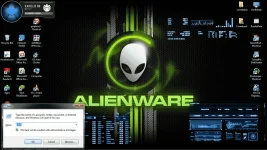
- Go to Start Menu and then click Run (or press Win+R) to get Run dialogue box.
- Type cmd and hit enter to open Command Prompt.
- You can’t create such folders in root drive i.e., where Windows is installed. So, if your Windows is installed in C: drive, type D: or E: in command prompt.
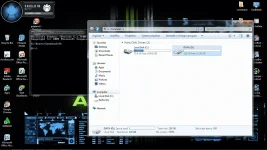
- Now, your command prompt is in D: (or E drive. Type md con\ command to create folder with name “con” (md=make directory).
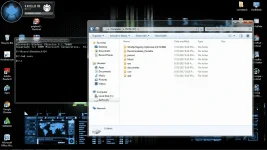
- Now browse to the location (D: drive) and you’ll see a folder just created there with name con. You can use any of the windows reserved keywords such aux, lpt1, lpt2, lpt3 up to lpt9 to create folders with these name through command prompt.
- Add your material to the folder.
take note: pwede niyo naman palitan si "con" ng kahit anong folder name na gusto niyo. pero ang disadvantage nito;
kay "con" hindi siya nadedelete. pero pag iba na ang name niya like "madpro" or etc. kahit anong name NADEDELETE sya. maraming name na gaya ni "con" na di nadedelete. pero may paraan naman para diyan. at ibabahagi ko ito.
How to delete Undeletable/Unrenamable folder?
- Open command prompt
- Type D: or E:, the drive letter where you have created the folder.
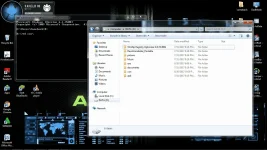
- Type rd con\ command to remove the folder named con (rd=remove directory).
- Now, open the drive, you’ll not find the folder here as it has been deleted.
sana po'y naunawaan niyo. ang damdamin ko.
este ang pagpapaliwanag ko. hopefuly po nakatulong ako sa takbo ng buhay niyo
Maraming salamat po! sana po'y mag hit and run kayo
este mag hit and like kayo
share niyo po sa iba. mas masaya tumulong kesa kumuha
-Madpro`white häçker