 PH
PH
Features:
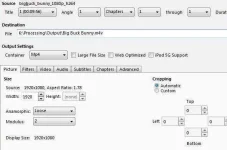
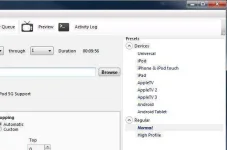
Built-in Device Presets
Get started with HandBrake in seconds by choosing a profile optimised for your device, or choose a universal profile for standard or high quality conversions. Simple, easy, fast. For those that want more choice, tweak many basic and advanced options to improve your encodes.
Supported Input Sources:
Handbrake can process most common multimedia files and any DVD or BluRay sources that do not contain any kind of copy protection.
Outputs:
File Containers: .MP4(.M4V) and .MKV
Video Encoders: H.265 (x265 and QuickSync), H.264(x264 and QuickSync), H.265 MPEG-4 and MPEG-2, VP8, VP9 and Theora
Audio Encoders: AAC / HE-AAC, MP3, Flac, AC3, or Vorbis
Audio Pass-thru: AC-3, E-AC3, DTS, DTS-HD, TrueHD, AAC and MP3 tracks
Even more features
Supported Input Sources:
Handbrake can process most common multimedia files and any DVD or BluRay sources that do not contain any kind of copy protection.
Outputs:
File Containers: .MP4(.M4V) and .MKV
Video Encoders: H.265 (x265 and QuickSync), H.264(x264 and QuickSync), H.265 MPEG-4 and MPEG-2, VP8, VP9 and Theora
Audio Encoders: AAC / HE-AAC, MP3, Flac, AC3, or Vorbis
Audio Pass-thru: AC-3, E-AC3, DTS, DTS-HD, TrueHD, AAC and MP3 tracks
Even more features
Title / chapter and range selection
Batch Scan and Queueing of encodes
Chapter Markers
Subtitles (VobSub, Closed Captions CEA-608, SSA, SRT)
Constant Quality or Average Bitrate Video Encoding
Support for VFR and CFR
Video Filters: Deinterlacing, Decomb, Denoise, Detelecine, Deblock, Grayscale, Cropping and scaling
Live Static and Video Preview
32 Bit Link:You do not have permission to view the full content of this post. Log in or register now.
64 Bit Link:You do not have permission to view the full content of this post. Log in or register now.