 PH
PHXena Gabrielle
Eternal Poster
...this one's my favorite
Just follow the steps as given below :
Step 1: Create the shortcut for the folder or tool for which you need to create the shortcut.
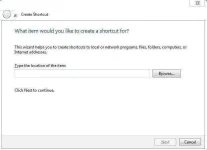
Right-click on your Desktop and select New -> Shortcut.
You will see a “Create Shortcut” Dialog box
Type notepad.exe then press next.
Then type any name for the shortcut.
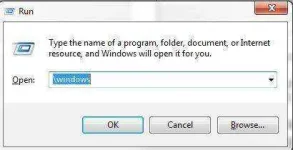
Step 2: Open the run command and goto \Windows
Step 3: Paste the shortcut to that folder and change the name of the shortcut to run command as we want.
For Example I suppose my shortcut name is “RISHAB” and when I open run command and type rishab my E: Drive Open Automatically.
Now you can open the folder or tool from run command using the name you have given for the shortcut.
Just follow the steps as given below :
Step 1: Create the shortcut for the folder or tool for which you need to create the shortcut.
Right-click on your Desktop and select New -> Shortcut.
You will see a “Create Shortcut” Dialog box
Type notepad.exe then press next.
Then type any name for the shortcut.
Step 2: Open the run command and goto \Windows
Step 3: Paste the shortcut to that folder and change the name of the shortcut to run command as we want.
For Example I suppose my shortcut name is “RISHAB” and when I open run command and type rishab my E: Drive Open Automatically.
Now you can open the folder or tool from run command using the name you have given for the shortcut.