 PH
PHHello. I know for those been studying about web programming. This is very common. :3 so for those who are starting to create websites and wanted to test out thr websites in thr smart phones here is a tuto.
Install XAMP with all the basic settings. When XAMPP finishes installing, the control panel should startup. If it doesn’t, locate XAMPP in your Program Files or Applications directory.
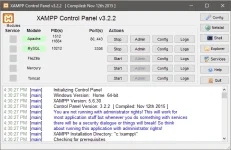
In the XAMPP control panel, click the Start button next to the Apache server. This will start your XAMPP server.
Before testing on a device, verify the webpage works by testing it in a browser on your computer. Type You do not have permission to view the full content of this post. Log in or register now.to browse to the directory we created. If this doesn’t work, you can try You do not have permission to view the full content of this post. Log in or register now.
First you need XAMPP
You can download it here: You do not have permission to view the full content of this post. Log in or register now.
You can download it here: You do not have permission to view the full content of this post. Log in or register now.
Install XAMP with all the basic settings. When XAMPP finishes installing, the control panel should startup. If it doesn’t, locate XAMPP in your Program Files or Applications directory.
In the XAMPP control panel, click the Start button next to the Apache server. This will start your XAMPP server.
Create a testing directory and a test file
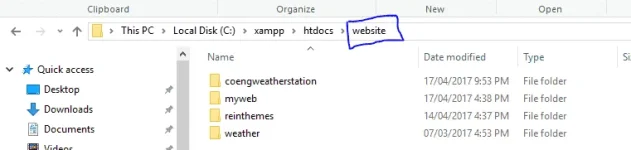
At this point you can technically start testing a website from a remote device. To better organize the server, create a New folder (Name it what you want) directory on the XAMPP server. The default XAMPP server directory is located at C:\xampp\htdocs\ on Windows
As you can see. I named it "website" instead of New folder.
As you can see. I named it "website" instead of New folder.
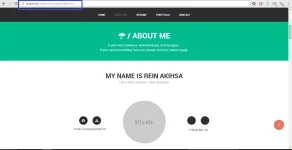
The website i want to test out in my mobile was called is myweb.
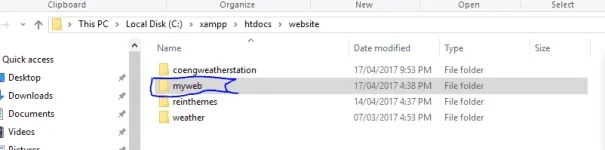
Which contains this files.
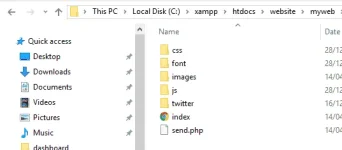
Which contains this files.
Before testing on a device, verify the webpage works by testing it in a browser on your computer. Type You do not have permission to view the full content of this post. Log in or register now.to browse to the directory we created. If this doesn’t work, you can try You do not have permission to view the full content of this post. Log in or register now.
Check your windows firewall.
(Please note that It was needed to allow the Apache to go through Windows Firewall in order to work)
Pag X yung lumabas sa inyo simply go to windows firewall>>Inbound Rules >>double click yung mga nagpaka X na Apache server>>General>>Allow the Connection
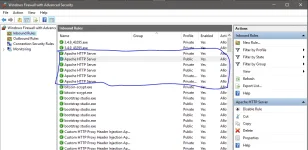
(Please note that It was needed to allow the Apache to go through Windows Firewall in order to work)
Pag X yung lumabas sa inyo simply go to windows firewall>>Inbound Rules >>double click yung mga nagpaka X na Apache server>>General>>Allow the Connection
Find your IP Address and test from a device
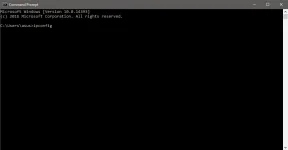
Search cmd hit enter and Type ipconfig at the prompt and hit enter again
IPv4 Address (192.168.56.1) was my ip address.
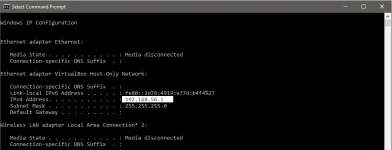
IPv4 Address (192.168.56.1) was my ip address.
You now have your IP address. Open your browser and type ur IP address in ur smartphone.
(Same step like we did here.)

Result
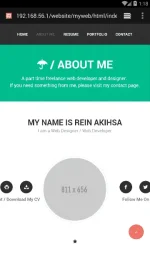
Questions? Comment down.
(Same step like we did here.)
Result
Questions? Comment down.