 PH
PHProblem likes:
Bootmgr/NTLDR is missing press ctrl+alt+delete to restart
Requirements:
OPENMIND and a little Experience
Your original bootable CD or USB
that you have installed to your laptop/desktop.
Sa tutorial asumming CD yung installer nya kaya follow nyu lang ha
First step *********** cd/usb windows bootable installer to your pc
Set it to bios as you want to boot from it
For usb it will aotumatically boots as long as it is first priority option
For cd/dvd you need to hit any keys
ngayun assuming nkapgboot kna click mo lng yung setting ng windows installer until mkikita mo yung option na
repair your
and follow steps below:
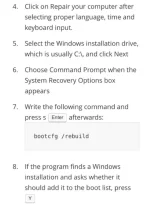
After copying is done
Restart your computer
Enter bios
and set the bios settings defaults by pressing f9 save and exit and done your pc will boot now.
Happy FIXING goodluck...
Feed back if helpful for you
Bootmgr/NTLDR is missing press ctrl+alt+delete to restart
Requirements:
OPENMIND and a little Experience
Your original bootable CD or USB
that you have installed to your laptop/desktop.
Sa tutorial asumming CD yung installer nya kaya follow nyu lang ha
First step *********** cd/usb windows bootable installer to your pc
Set it to bios as you want to boot from it
For usb it will aotumatically boots as long as it is first priority option
For cd/dvd you need to hit any keys
ngayun assuming nkapgboot kna click mo lng yung setting ng windows installer until mkikita mo yung option na
repair your
and follow steps below:
After copying is done
Restart your computer
Enter bios
and set the bios settings defaults by pressing f9 save and exit and done your pc will boot now.
Happy FIXING goodluck...
Feed back if helpful for you