 PH
PHHard Reset SAMSUNG Galaxy C5
First method:
First method:
- In the first step turn off your smartphone by holding the Power key for a short while.
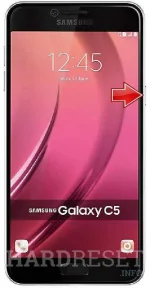
- In the next step press and hold together: Volume Up + Home + Power button for a couple of seconds.
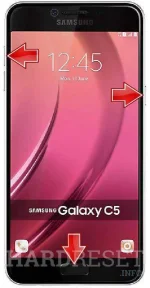
- You should release held keys when the Samsung Logo appears on the phone's screen.
- After that select "wipe data / factory reset" using Volume buttons to navigate and Power button to confirm.
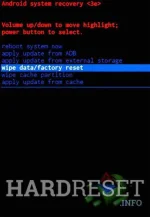
- Then choose "Yes -- delete all user data" to confirm the whole operation.

- Now the device is formatting itself.
- When the Recovery Mode menu appears again select option "reboot system now".

- Well done! The hard reset has just been performed.
- Begin by turninng on the device by holding down the Power button.
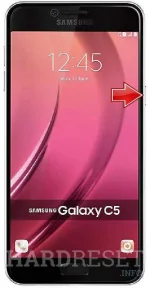
- From the Home Screen go to Menu and then to Settings.
- Tap Backup & Reset and then Factory Data Reset.
- Afterwards find and select Reset device.
- To confirm your choice select Erase everything.
- That's all. Wait to complete the operation.