 PH
PHHard Reset SAMSUNG G920F Galaxy S6
First method:
Second method:
Hard Reset - SAMSUNG G920F Galaxy S6 - REMOVE SCREEN LOCK
If this was useful, please share to help others and follow us on You do not have permission to view the full content of this post. Log in or register now., You do not have permission to view the full content of this post. Log in or register now.and You do not have permission to view the full content of this post. Log in or register now.
First method:
- Firstly, turn off the phone by using the Power button.
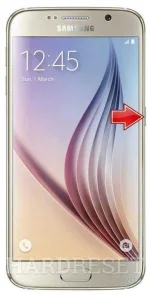
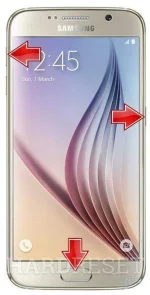
- Now press and hold together: Volume Up + Home + Power button, until you see Samsung logo.
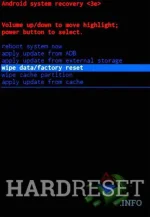
- Then select from Recovery Mode menu "wipe data / factory reset" using Volume buttons to navigate and Power button to confirm.
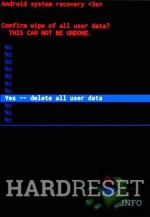
- Afterwards, choose "Yes -- delete all user data" to confirm the whole operation.
- After that select option "reboot system now".
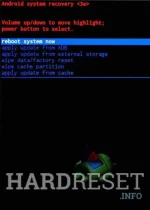
- Well done! The hard reset has just been performed.
Second method:
- Start by turninng on the device.
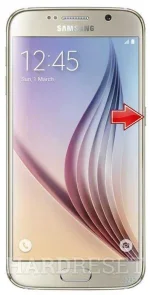
- From the Home Screen go to Menu and then to Settings.
- Tap Backup & reset and then Reset device.
- To confirm your choice select Erase everything.
- That's all.
Hard Reset - SAMSUNG G920F Galaxy S6 - REMOVE SCREEN LOCK
If this was useful, please share to help others and follow us on You do not have permission to view the full content of this post. Log in or register now., You do not have permission to view the full content of this post. Log in or register now.and You do not have permission to view the full content of this post. Log in or register now.